Submit Tool
1,529+ prompts available

Image Generation Prompts

Free library of viral AI photo prompts. Copy text-to-image prompts for Gemini, ChatGPT, trending styles, and realistic generation instantly.

1,529 Prompts
9 Models
6 Categories
1,529 Ready Links
Sort by: 1028 prompts found
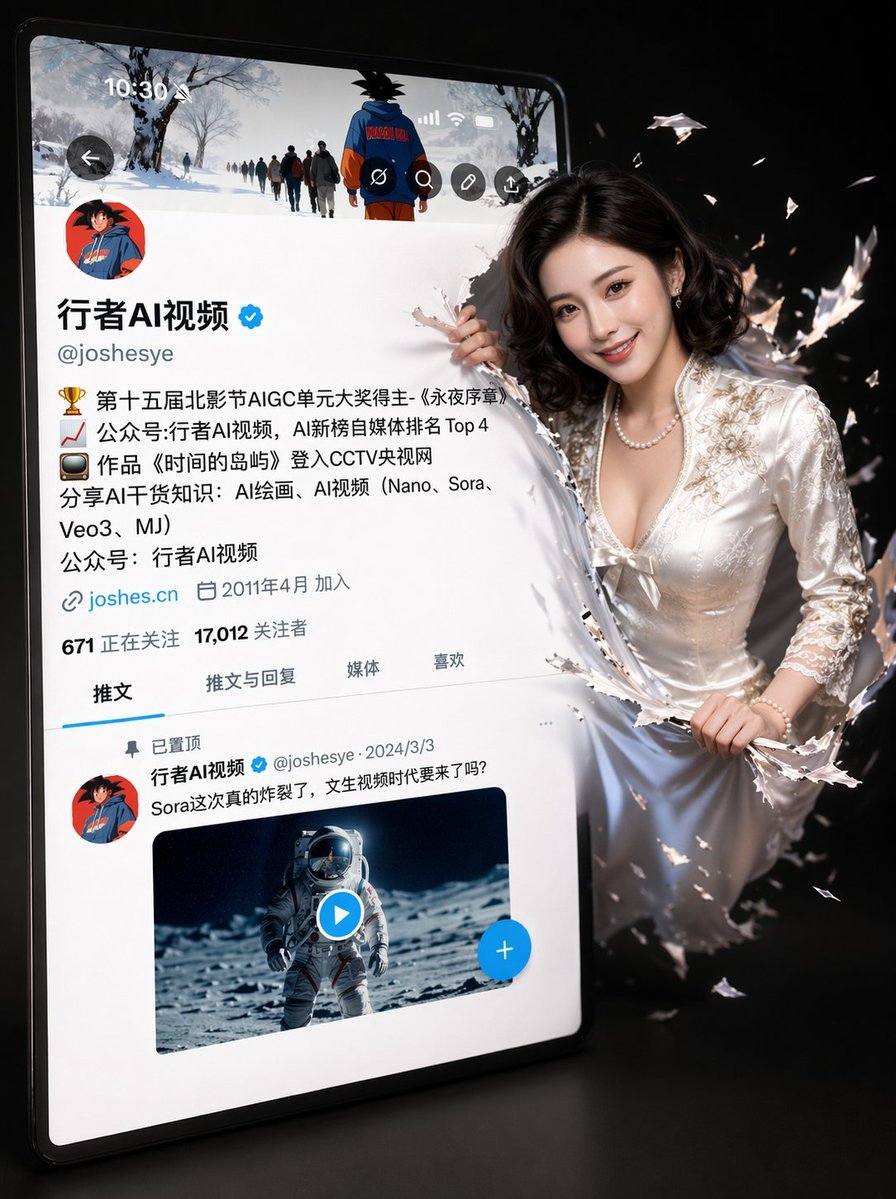
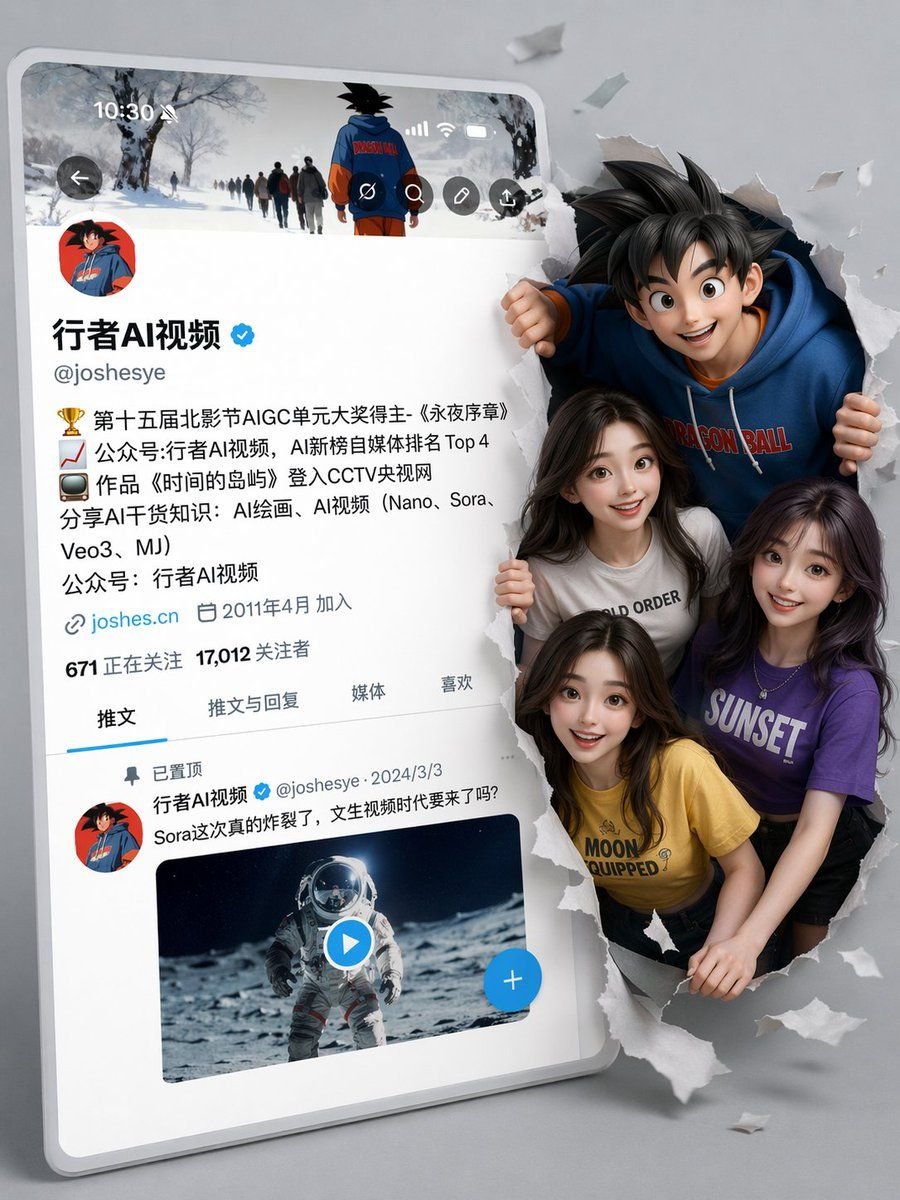
3D Social Media Profile Break-Out
Image Generation

3D Social Media Profile Break-Out

A hyper-realistic 3D illustration depicting a slightly tilted Twitter/X profile interface with a simple black background. The original avatar (cartoon girl avatar) remains unchanged. The profile interface is identical to Image 2, with the username 'Aigirl', a verification badge, a detailed bio, follower count, and a tweet column. On the right side of the screen, a Image 1. Her features are the same as the original (no changes to the face), but she now has a bright, natural smile, lively eyes, and soft, translucent skin. Half of her body is breaking free from the screen, jumping out with a dynamic 3D effect. The ripples caused by breaking free from the screen are shaking violently. The lighting uses soft studio lighting with cinematic shadows and depth of field. Ultra-fine 4K resolution, a blend of realistic imagery and Pixar style, clear and sharp, popular on ArtStation. Important notes: - Do not change the avatar (DP) - Keep the X interface layout and text style unchanged - Retain the girl's original facial features - Only adjust the expression to a natural smile

GPT Image 2
0 0
Try Now
Premium Beverage Studio Photography
Image Generation

Premium Beverage Studio Photography

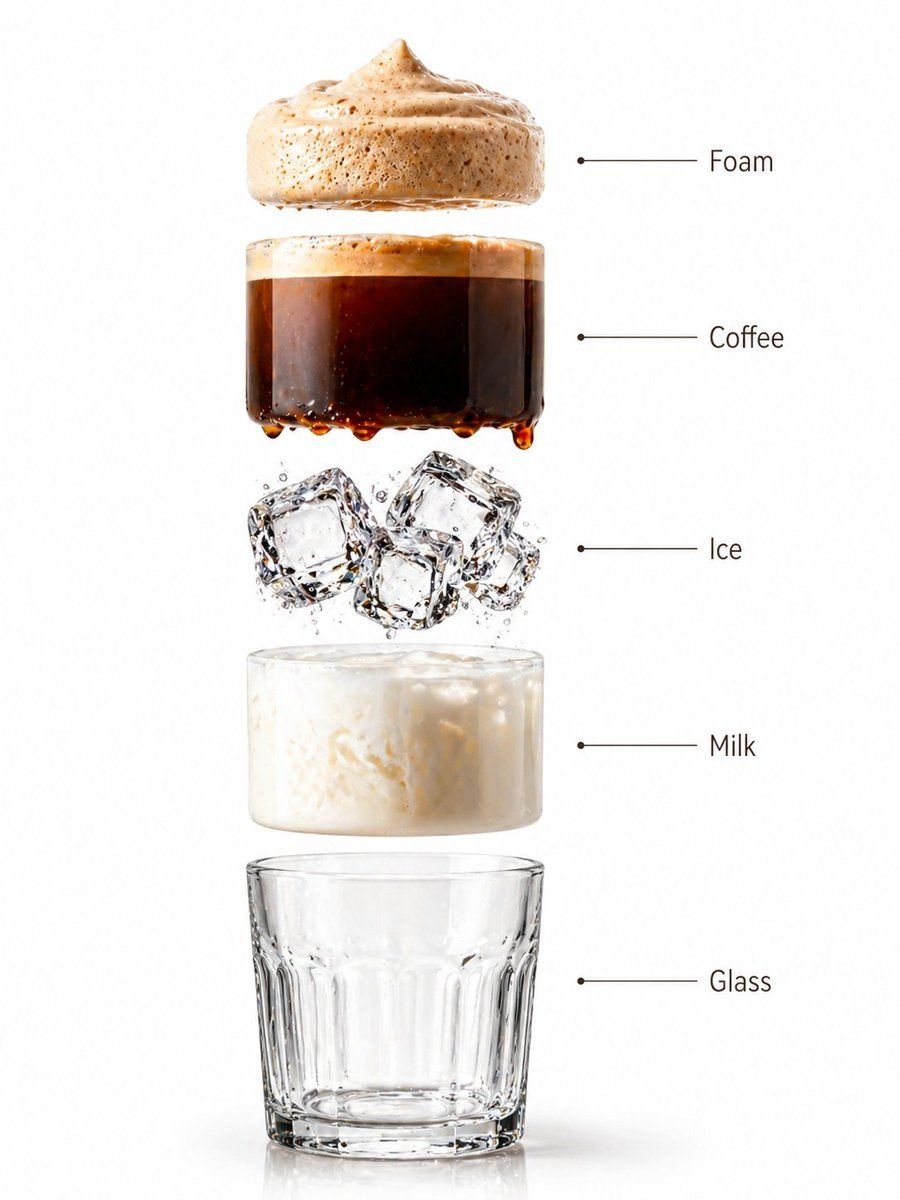
A high-end café-style product photograph of a transparent glass filled with iced coffee, centered against a soft beige and cream seamless studio background. The drink shows a rich dark coffee base blending with creamy milk swirls, creating a smooth gradient effect. Several clear ice cubes are visible with realistic transparency and light refraction. The glass has subtle condensation droplets, adding freshness. Soft natural studio lighting creates delicate highlights and a clean shadow beneath the glass. Ultra-sharp focus, premium beverage advertisement style, DSLR macro photography, hyper realistic, 8K. Create a hyper-realistic exploded vertical infographic composition of an iced coffee. Top → Bottom structure: Foam Layer (light creamy foam with soft airy texture) → Coffee Liquid (rich dark espresso layer with smooth gradient) → Ice Cubes (transparent cubes with sharp edges and reflections) → Milk Layer (soft creamy white layer with smooth blend effect) → Glass Base (clear minimal glass structure) All elements must be perfectly centered, evenly spaced, and aligned vertically. Use a soft beige seamless background with clean café-style lighting and subtle realistic shadows beneath each floating element. The composition should feel like a premium beverage ad combined with a clean infographic layout. Add clean minimalist text labels with thin pointer lines using these exact labels: “Foam” “Coffee” “Ice” “Milk” “Glass” Ultra-realistic liquid detail, sharp reflections, premium commercial photography, 8K.

GPT Image 2
0 0
Try Now
Exploded Technical Diagram Poster
Image Generation

Exploded Technical Diagram Poster

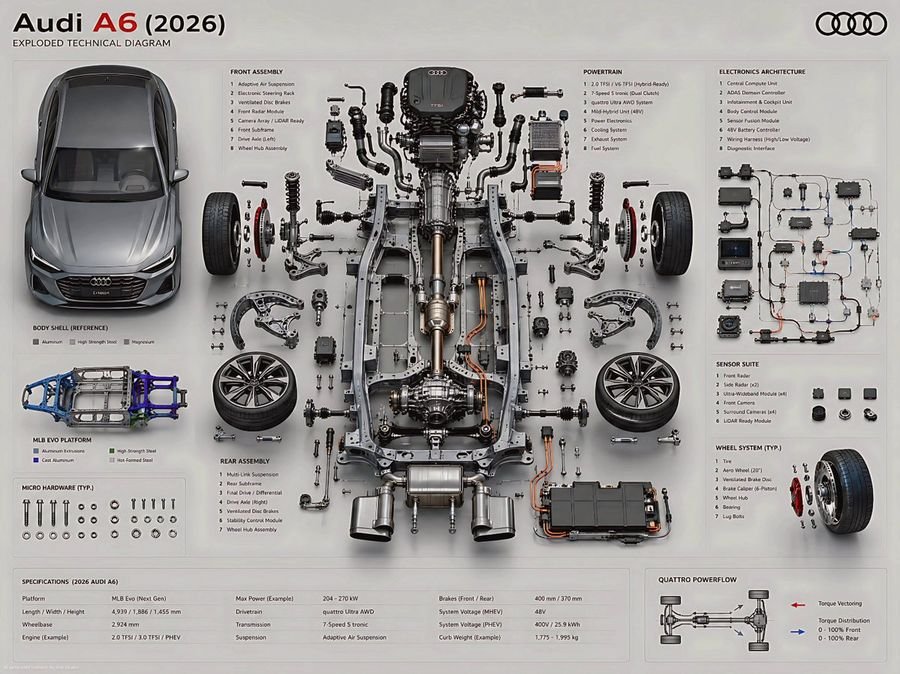
Create an ultra-high fidelity exploded technical diagram of a 2026 Audi A6, presented as a premium engineering poster. Audi A6 (2026)Maintain a true orthographic top/front hybrid view with zero perspective distortion.CORE COMPOSITION RULE Place the primary chassis or structural platform perfectly centered as the core spine. Position the main body shell separately (left or top), aligned parallel as a reference form while preserving accurate proportions, stance, and real-world geometry of the 2026 Audi A6.EXPLODED ENGINEERING SYSTEM (MULTI-LAYER DEPTH STRUCTURE) Design a multi-layered exploded system with components separated across depth (Z-axis) and planar spacing:Micro hardware (bolts, screws, washers): tightly grouped in precision clusters Functional assemblies: moderately spaced with clear mechanical relationships Major systems: widely separated for structural clarity and engineering hierarchy SUBSYSTEM BREAKDOWN (MODERN AUDI ARCHITECTURE) Organize parts into realistic automotive engineering subsystems:Front Assemblyadaptive suspension system (Audi drive select calibrated damping) precision steering rack with electronic assist advanced braking system (ventilated discs + regenerative integration if hybrid) sensor suite (front radar, LiDAR-ready modules, camera array) Rear Assemblyrear multi-link suspension system drivetrain assembly (quattro AWD torque distribution unit) rear differential system (or integrated e-axle for hybrid/EV variant) stability and traction control modules Chassis / Structurelightweight MLB Evo / next-gen Audi modular platform architecture reinforced aluminum and high-strength steel hybrid frame vibration isolation subframes crash-optimized energy absorption zones Powertrainturbocharged inline-4 / V6 hybrid-compatible engine architecture transmission system (dual-clutch S tronic representation) intake, exhaust, and thermal management routing optional mild-hybrid or plug-in hybrid battery integration partial internal exposure showing combustion or electric assist layering Electronics SystemECU and domain control architecture (centralized compute unit) wiring harness with ultra-clean routed geometry driver assistance systems (ADAS module cluster) infotainment + digital cockpit processing unit sensor fusion computing core Wheel System4 wheels symmetrically placed rim, tire, brake disc, hub assembly separated in exploded layers precise axle alignment and rotational geometry Audi signature aerodynamic rim design ENGINEERING REALISM RULE Maintain strict mechanical connectivity between all systems Align shafts, axles, and torque paths accurately Preserve left/right symmetry with controlled functional asymmetry only Group micro-components in structured clusters near their assemblies Avoid decorative or random placement — everything must reflect real automotive engineering logic VISUAL STYLE & MATERIAL LANGUAGE Use modern Audi design precision:brushed aluminum + matte graphite structural materials carbon-reinfo

GPT Image 2
0 0
Try Now
Subway Juice Drink Advertisement
Image Generation

Subway Juice Drink Advertisement

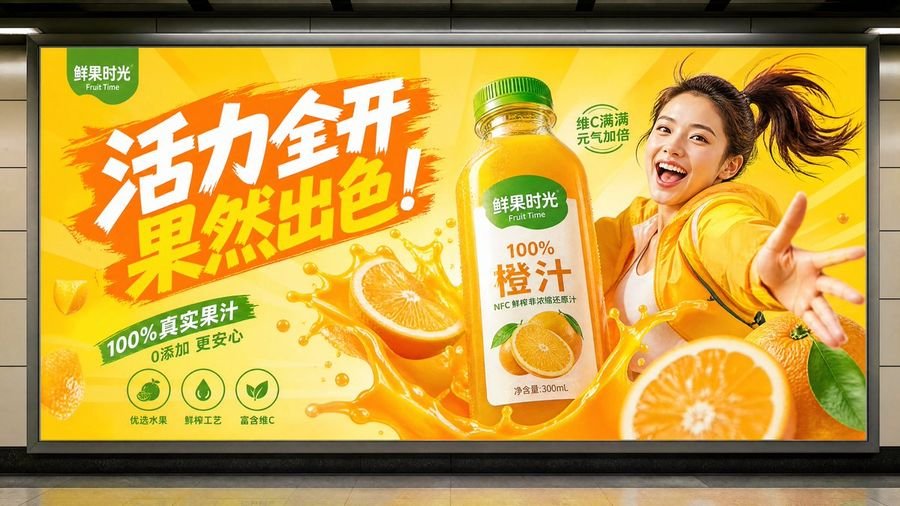
juice drink advertisement, subway advertising style, vibrant and full of energy

GPT Image 2
0 0
Try Now
Watercolor City Travel Poster
Image Generation

Watercolor City Travel Poster

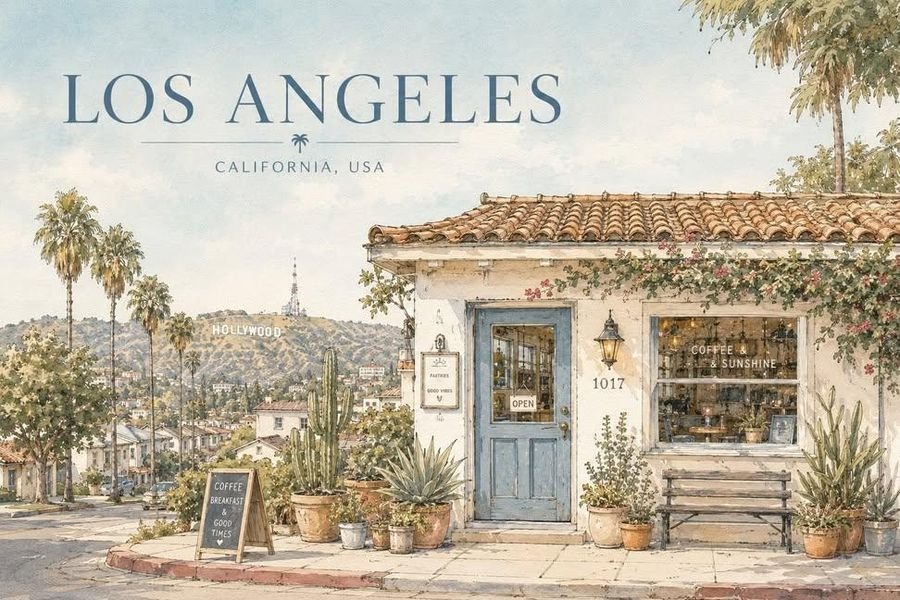
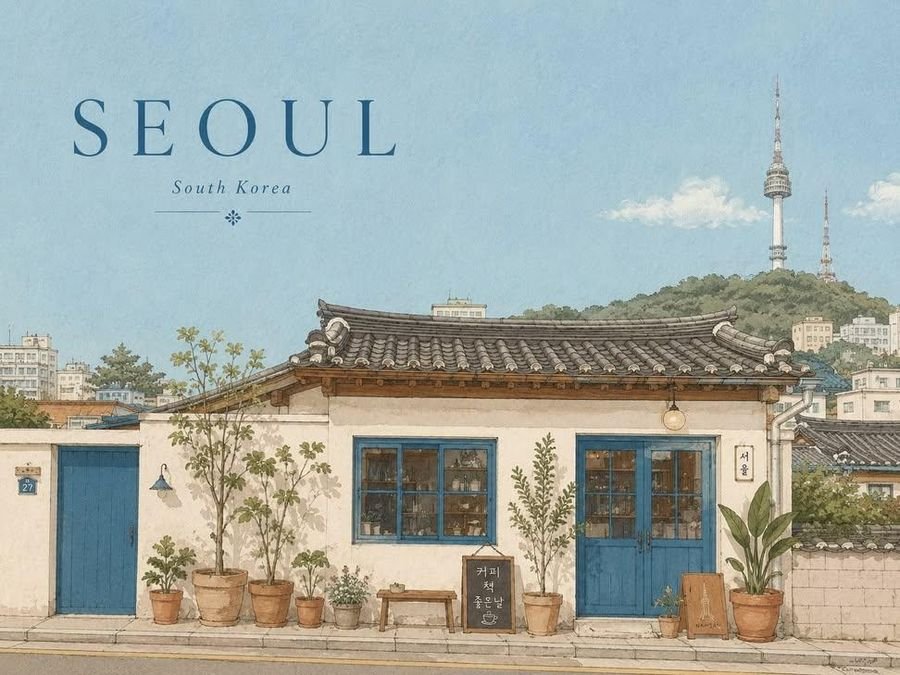
Create a serene architectural travel illustration inspired by Seoul, South Korea, in a soft hand-drawn watercolor and ink style. Main concept: Show a quiet, charming street-side house or small building inspired by the everyday atmosphere of Seoul, South Korea, while subtly incorporating a recognizable landmark in the composition. The landmark should appear naturally in the background, distance, or surrounding scenery, so the image clearly feels connected to Seoul, South Korea without losing the calm residential mood. Visual style: delicate hand-drawn architectural illustration, soft watercolor washes, thin ink outlines, slightly imperfect sketch lines, warm sunlit atmosphere, gentle pastel palette, subtle paper texture, quiet travel sketchbook aesthetic, minimal yet detailed composition, calm editorial illustration mood, poetic everyday scenery, cozy and refined visual tone, no photorealism, no harsh contrast, no saturated colors, no dramatic lighting. Scene: A peaceful small house, café, studio, or local building with simple walls, a tiled or regionally inspired roof, painted doors or windows, and several potted plants arranged naturally in front. Include subtle local architectural details and everyday design elements that feel authentic to Seoul, South Korea. Incorporate a recognizable landmark as a softly integrated city symbol — for example, visible above rooftops, in the distance, or as part of the surrounding skyline or landscape. The overall scene should feel quiet, elegant, warm, and locally rooted. Composition: landscape travel-poster format, wide horizontal layout, large open sky occupying the upper half or upper-left area, main building placed across the lower portion of the composition, balanced negative space, front-facing or slightly angled composition, potted plants and small objects along the base, landmark subtly placed in the background or upper distance, clean and spacious layout, minimal but emotionally rich composition. Typography: Include the city name “Seoul” clearly in the image. Render “Seoul” as elegant travel-poster typography, large but refined, placed prominently in the sky area or upper portion of the composition. Optionally include “South Korea” in smaller text beneath or near the city name. The text should feel integrated into the poster design, not like a random overlay. Use clean, tasteful lettering that matches the calm watercolor travel-poster mood. Color palette: pale sky blue, warm cream, terracotta, muted blue accents, olive and soft green, light earthy browns, soft natural neutrals. Texture: visible watercolor paper grain, transparent paint layering, soft handmade brush texture, gentle ink-and-wash finish. Mood: peaceful, sunny, quiet, nostalgic, cozy, refined, poetic, calm everyday travel atmosphere.

GPT Image 2
0 0
Try Now
Istanbul Typographic Travel Poster
Image Generation

Istanbul Typographic Travel Poster

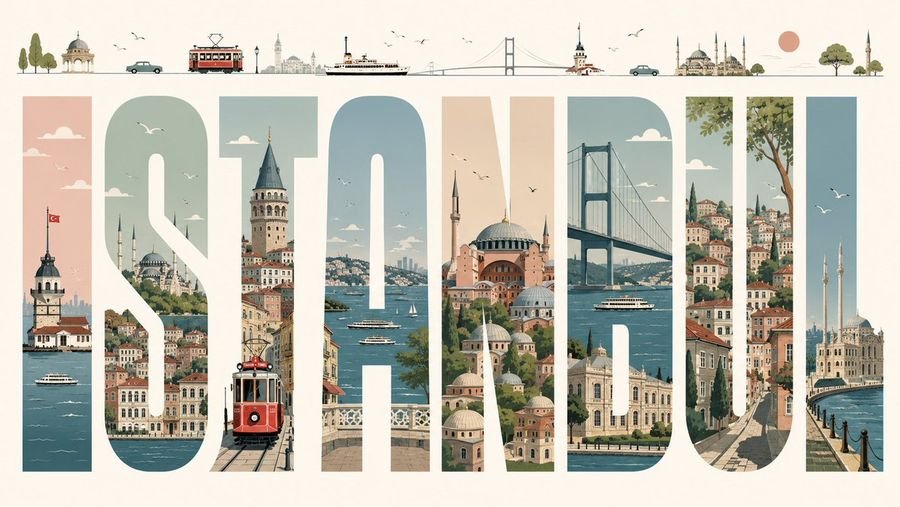
Create a premium editorial illustrated travel poster for ISTANBUL, built around 8 enormous tall block capital letters spelling “ISTANBUL” across a wide horizontal cream canvas. Use each letter as a vertical window filled with detailed Istanbul scenery: 1) I shows the Maiden’s Tower on the Bosphorus with a Turkish flag and ferry boats, 2) S shows hillside waterfront neighborhoods, domes, minarets, clouds, and birds, 3) T shows Galata Tower above narrow streets with a red vintage tram in the foreground, 4) A shows the Bosphorus with ferries, sailboats, bridges, and distant skyline, 5) N shows Hagia Sophia and layered mosque domes in warm peach and stone tones, 6) B shows the Bosphorus Bridge, water, a ferry, and waterfront palaces, 7) U shows steep historic streets, colorful stacked houses, greenery, and a large tree, 8) L shows Ortaköy Mosque by the waterfront with two minarets and flying seagulls. Above the title, add a thin minimalist skyline strip containing 13 small illustrated elements from left to right: trees, a small domed pavilion, a teal car, a red tram, distant city towers, a ferry, a suspension bridge, Maiden’s Tower, another teal car, a grand mosque with multiple minarets, a peach sun, a round green tree, and a final mosque minaret. Style it as a refined mid-century travel poster with clean vector-like illustration, soft muted palette of teal blue, sea green, dusty peach, terracotta, warm cream, and charcoal linework; crisp geometry, subtle paper grain, elegant negative space, tiny birds and clouds, no photorealism, no extra text besides the city name.

GPT Image 2
0 0
Try Now
Social Media Screenshot Generator
Image Generation

Social Media Screenshot Generator

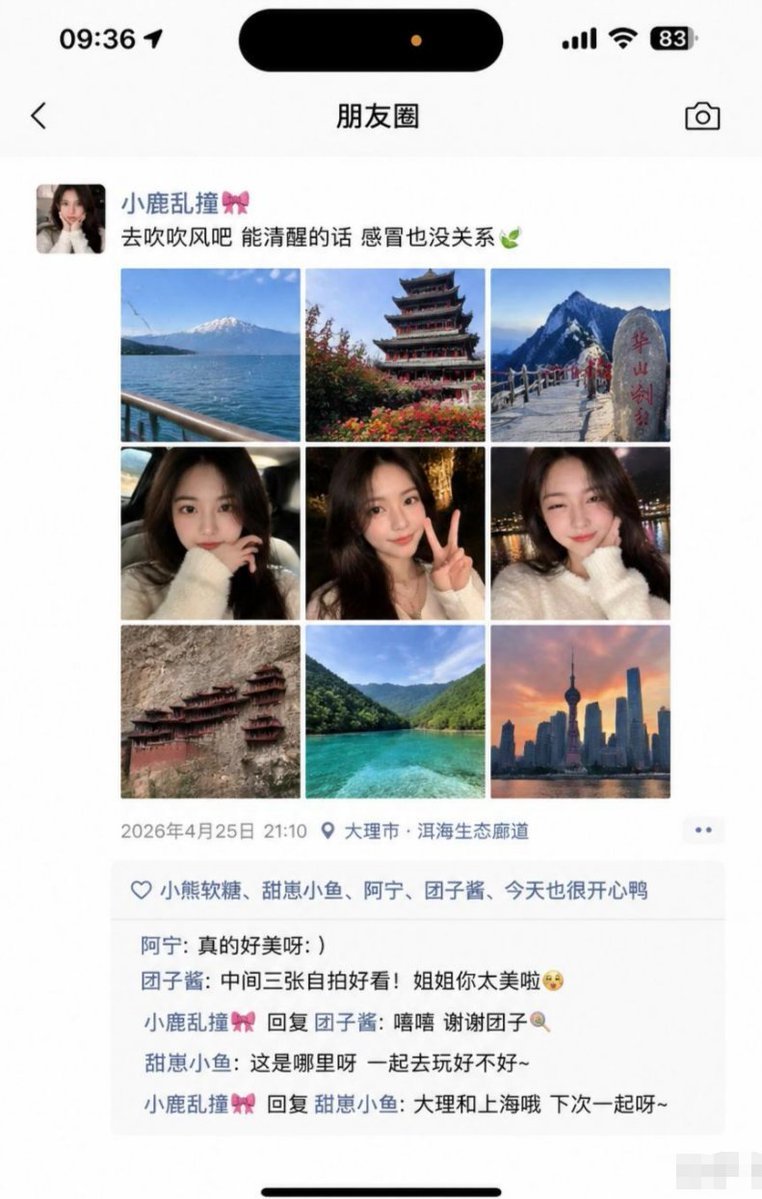
Generate a screenshot of a WeChat Moments feed, arranged in a 3x3 grid. The middle three images are selfies of a girl, and the others are photos of various trending check-in spots. Include likes, comments, and replies, as well as iPhone UI elements like the time at the top, Dynamic Island, and battery level.

GPT Image 2
0 0
Try Now
Nine-Photo ID Portrait Sheet
Image Generation

Nine-Photo ID Portrait Sheet

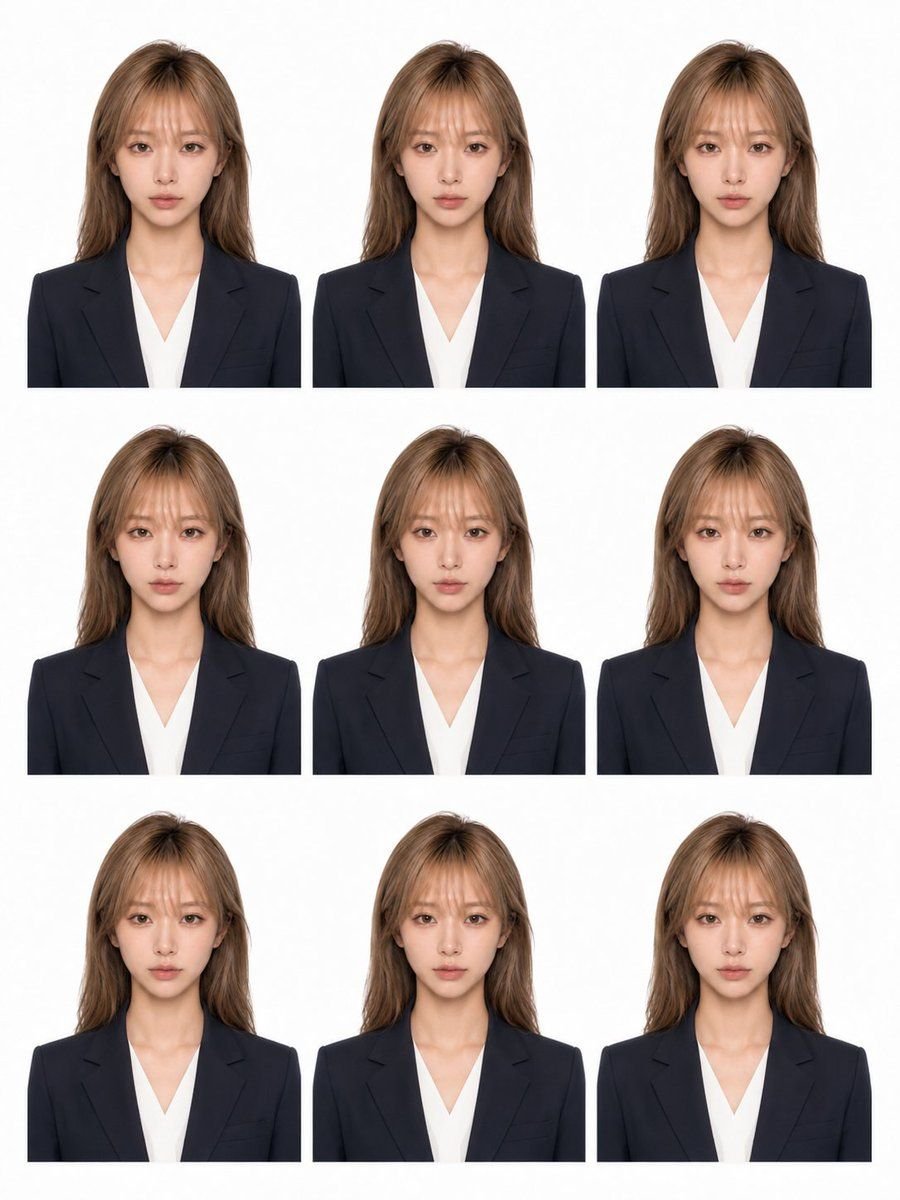
Create a clean printable sheet of nine identical ID photo portraits arranged in a 3 by 3 grid on a white background. Each portrait shows the same adult woman from the chest up, centered and facing forward, with long light brown/blonde hair worn down, wearing a dark navy business blazer over a white V-neck blouse. Use neutral passport-photo lighting, a plain white studio backdrop, symmetrical composition, realistic photographic style, and consistent scale across all copies. The face must be anonymized/covered in every copy by a smooth vertical rectangular blur block in a natural skin-tone color, placed over the full face area from forehead to chin while leaving hair, neck, ears, blazer, and blouse visible. The sheet contains exactly 9 portraits: top-left, top-center, top-right, middle-left, middle-center, middle-right, bottom-left, bottom-center, and bottom-right. Keep generous white gutters between portraits, crop each photo just below the shoulders, no text, no borders, no watermark, no decorative elements. Use adult woman, light brown blonde, dark navy blazer and white V-neck blouse, 3 by 3, nine portraits, and smooth skin-tone rectangular blur over the face.

GPT Image 2
0 0
Try Now
Luxury Parisian Cafe Fashion Photo
Image Generation

Luxury Parisian Cafe Fashion Photo

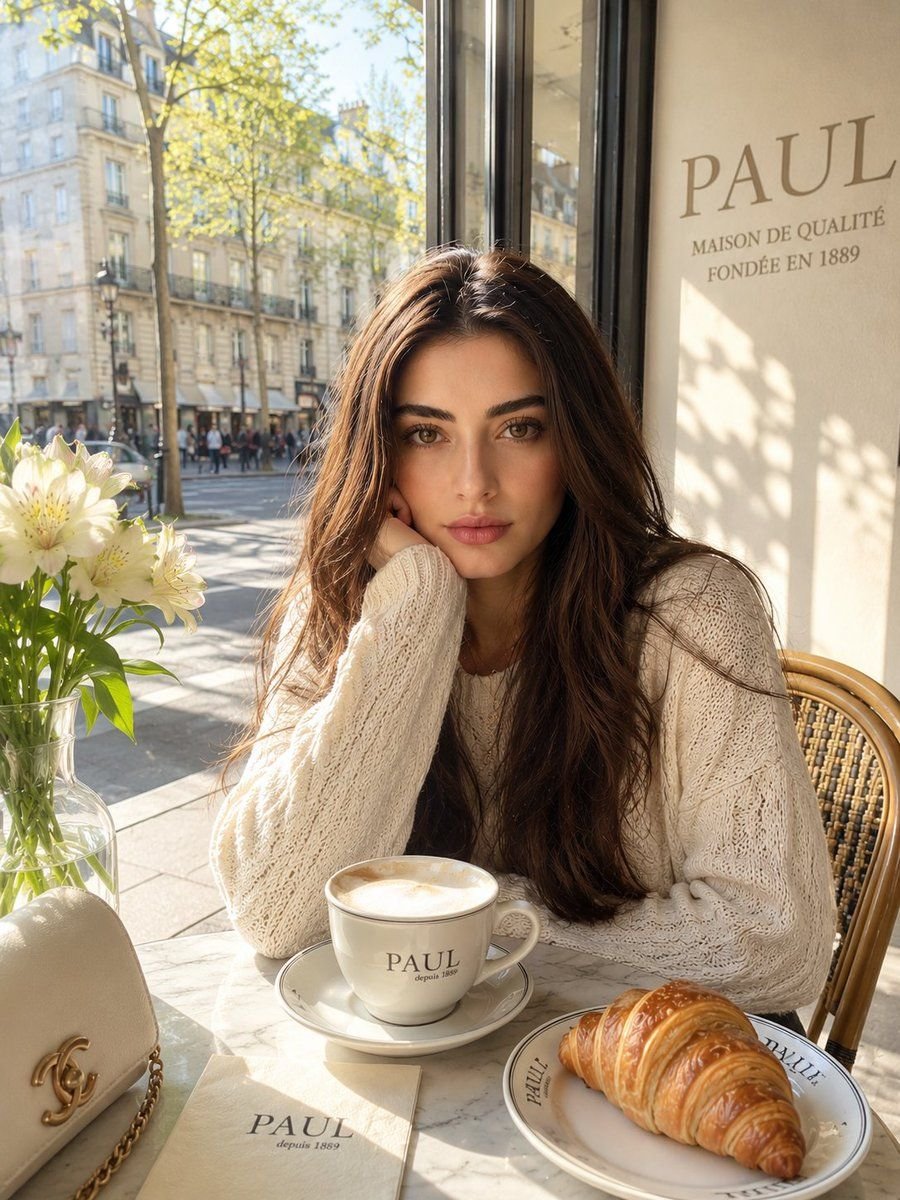
Ultra-realistic Instagram fashion photograph inside a luxurious PAUL café in Paris during golden morning sunlight. A beautiful young woman with the EXACT SAME FACE STRUCTURE, eyes, eyebrows, lips, nose, jawline, hairstyle, and natural expression as the reference image sits elegantly at a marble café table beside a large glass window with iconic PAUL branding visible softly in the background. IMPORTANT: preserve facial identity consistency 100% no makeup natural skin texture soft healthy skin glow natural lips realistic under-eye details no beauty filter look no AI plastic skin remove glasses completely keep her original natural beauty and innocent expression STYLE & OUTFIT: soft light cream oversized knitted sweater cozy luxury aesthetic minimal jewelry relaxed elegant sitting posture one hand gently supporting face cinematic candid vibe effortless rich-girl café aesthetic SCENE DETAILS: warm golden sunlight flooding through windows vibrant soft beige and warm cream color palette luxurious French café atmosphere PAUL coffee cup on tabl fresh croissant beside coffee small flowers in glass vase blurry Paris street outside window soft depth of field realistic reflections on glass premium editorial photography feel calm luxury lifestyle mood cozy Instagram aesthetic fashion influencer vibe subtle cinematic shadows vibrant but soft natural tone CAMERA: shot on Canon EOS R5 85mm lens shallow depth of field ultra realistic skin texture cinematic color grading editorial fashion photography highly detailed realistic hair strands luxury Instagram post composition 4K ultra detailed vertical 4:5 Instagram ratio

GPT Image 2
0 0
Try Now
Variety Show Surprise Prank Anime Screenshot
Image Generation

Variety Show Surprise Prank Anime Screenshot

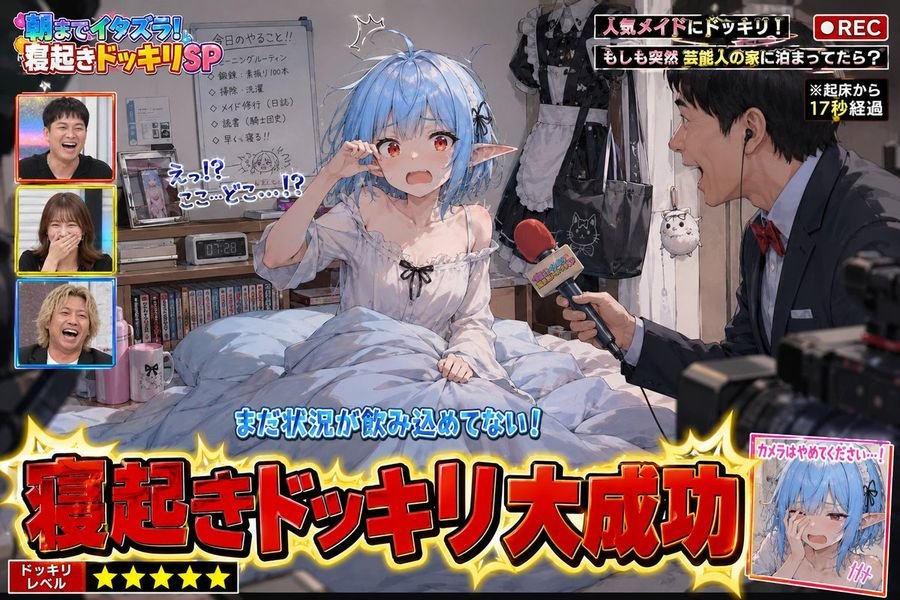
Use the provided image as the standard reference for the character. Depict the moment of 'a successful surprise wake-up prank on a popular variety show' featuring the character from the reference image as the protagonist. This is not a poster or a key visual; it is a screenshot of a prank segment actually broadcast on television. The character should be shown immediately after waking up, naturally expressing surprise, confusion, embarrassment, and a lack of situational awareness. Include messy hair, disheveled bedding, a slumped posture, and a room filled with everyday details. Do not fix the sleepwear; infer it naturally from the character's personality, occupation, and lifestyle. Place personal items on the desk, shelves, and bedside that might be slightly embarrassing if seen by others, derived from the character's unique traits. Add TV-style production elements, including a large caption saying 'Wake-up Prank Success!', along with TV decorations, sound-effect text, wipes, subtitles, and logos. Include a prank reporter holding a microphone, looking excited. High-quality anime illustration with rich prop details and a fun, comedic atmosphere.

GPT Image 2
0 0
Try Now
Greek God Riding a Lion
Image Generation

Greek God Riding a Lion

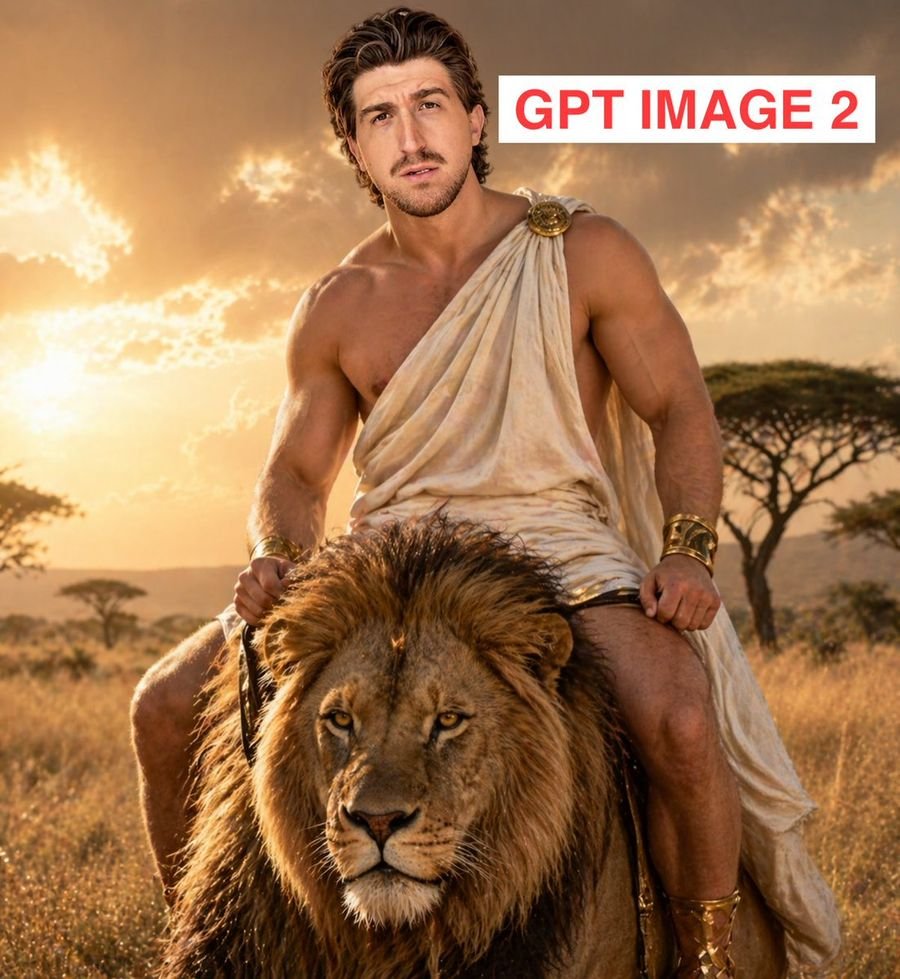
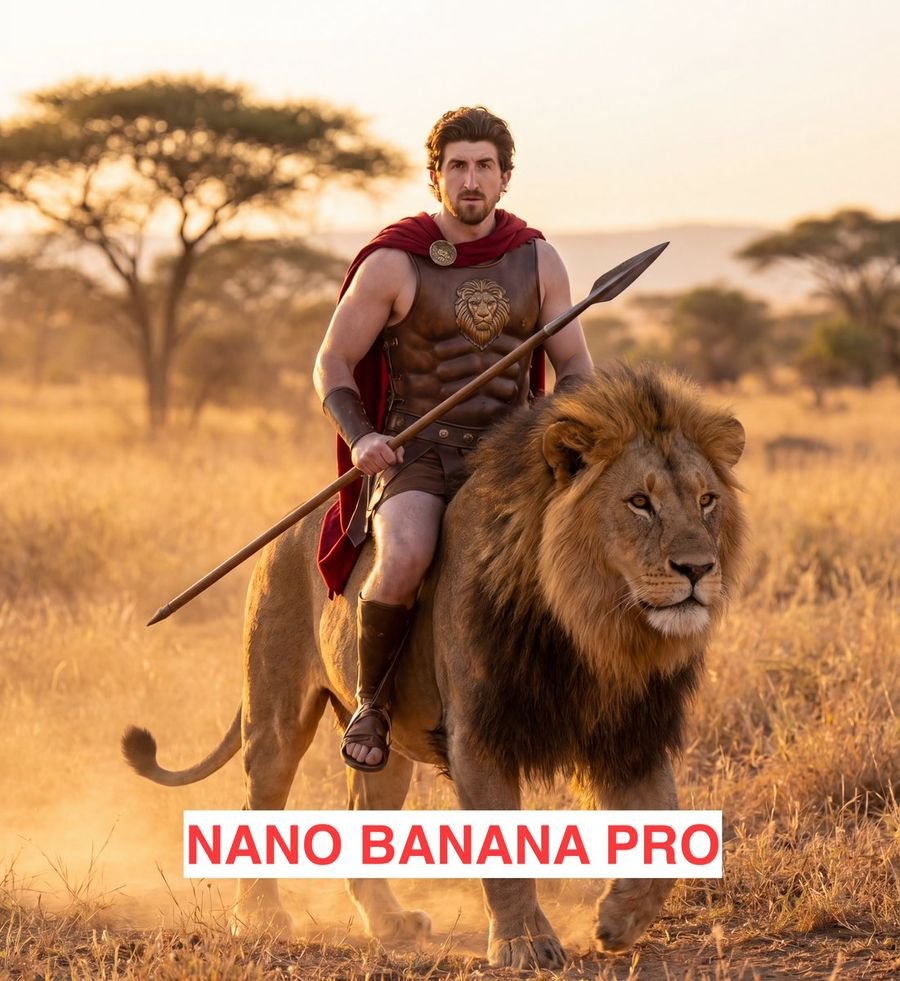
make me look like a greek god riding a lion in the plains of africa.

GPT Image 2
0 0
Try Now
Reference-Based Cinematic World Expansion
Image Generation

Reference-Based Cinematic World Expansion

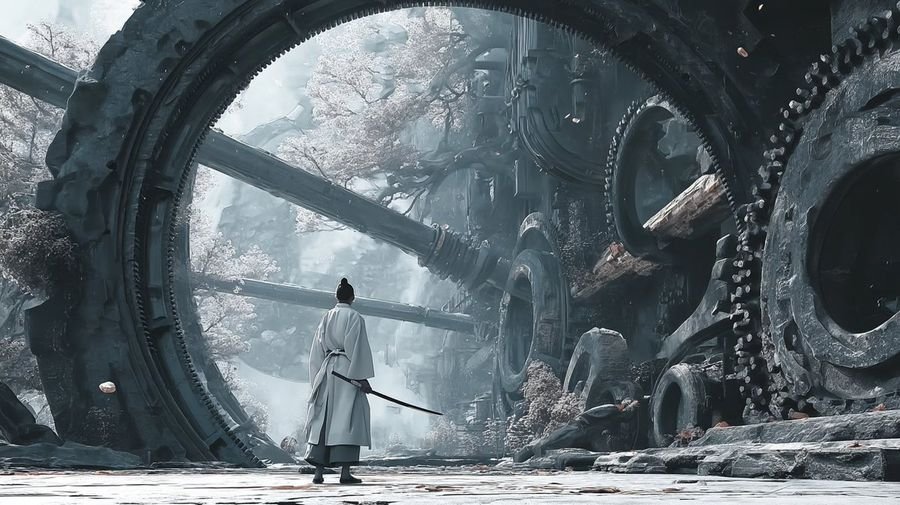
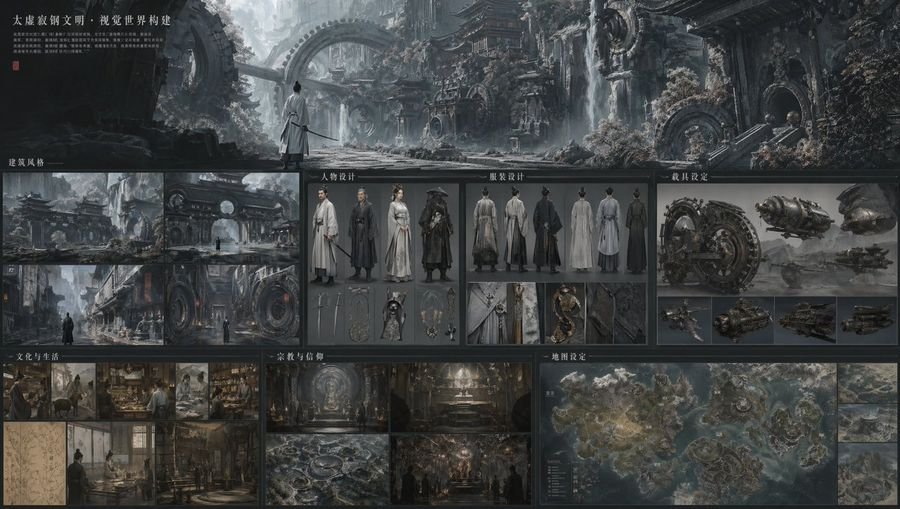
Using the provided reference image as the visual civilization seed, expand it into a new cinematic world scene that keeps the same grand East Asian fantasy design language, monumental scale, intricate architecture-first worldbuilding, and ultra-detailed realism, but shift the setting from a luminous cloud palace into an ancient mechanical ruin on the ground. Replace the gilded celestial temple environment with colossal circular ring structures, giant embedded gears, heavy industrial stone-and-metal architecture, broken conduits, and overgrown ruins with pale flowering trees. Change the mood to cold, misty, desaturated blue-gray lighting with soft atmospheric fog, while preserving the epic, awe-inspiring worldbuilding feel from the reference. Add 1 lone wandering swordsman seen from behind in the foreground, wearing flowing white robes and carrying a sheathed sword, centered beneath the largest ring to emphasize scale. Make it feel like a frame from a high-budget fantasy film, with extremely rich environmental detail and a cohesive visual language derived from the reference image.

GPT Image 2
0 0
Try Now
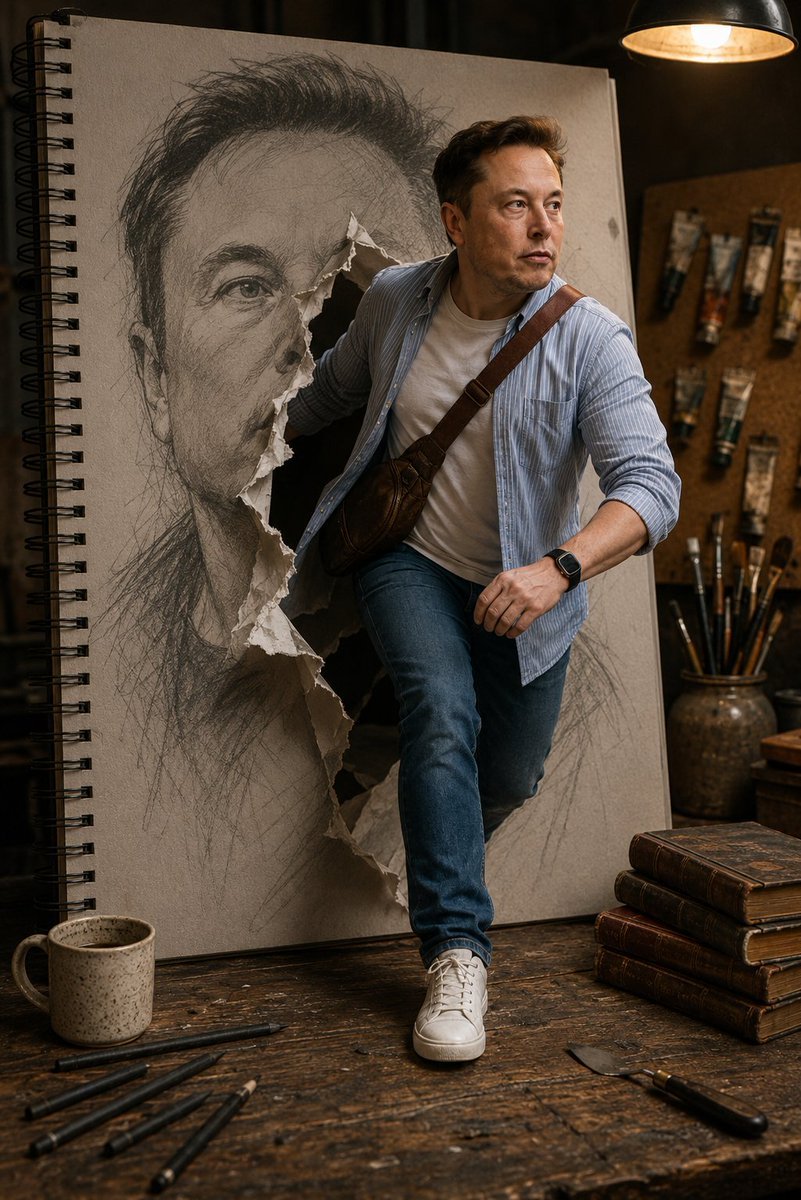
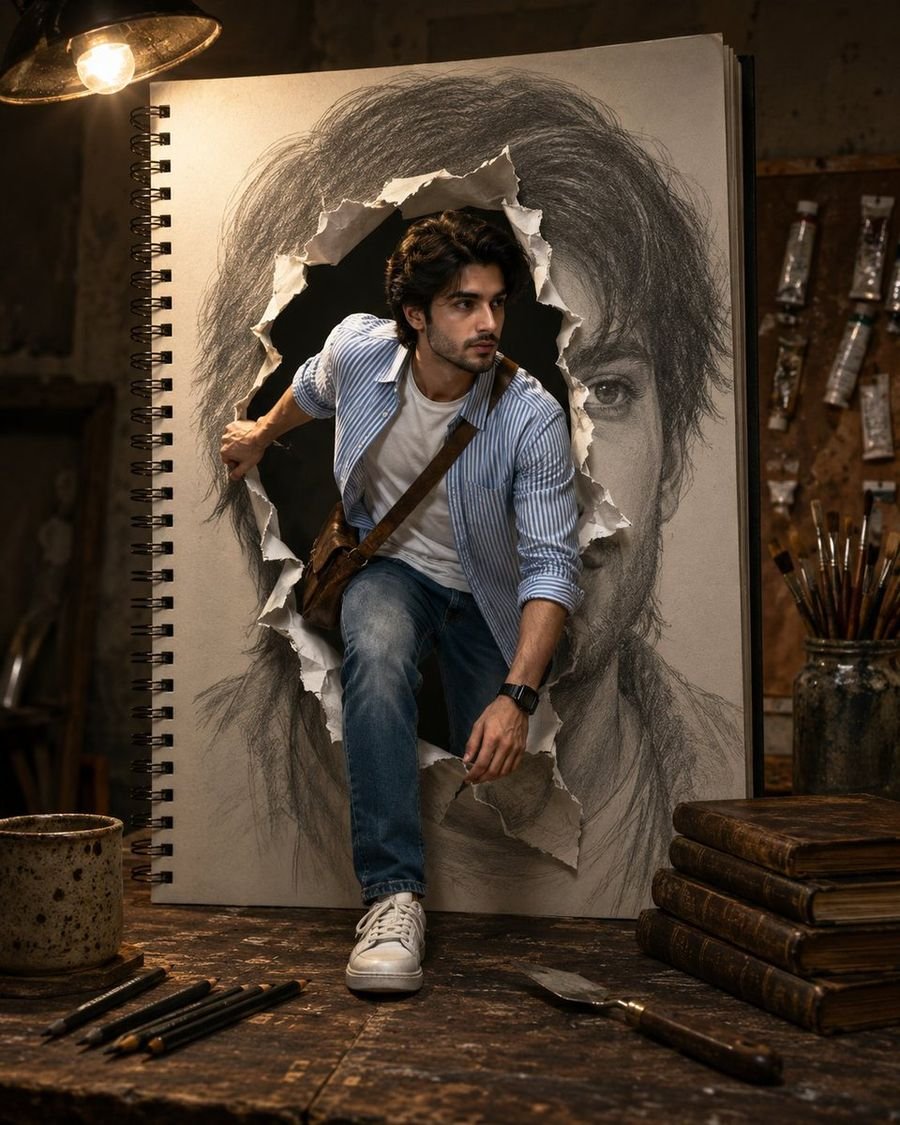
Sketchbook Drawing Coming to Life
Image Generation

Sketchbook Drawing Coming to Life

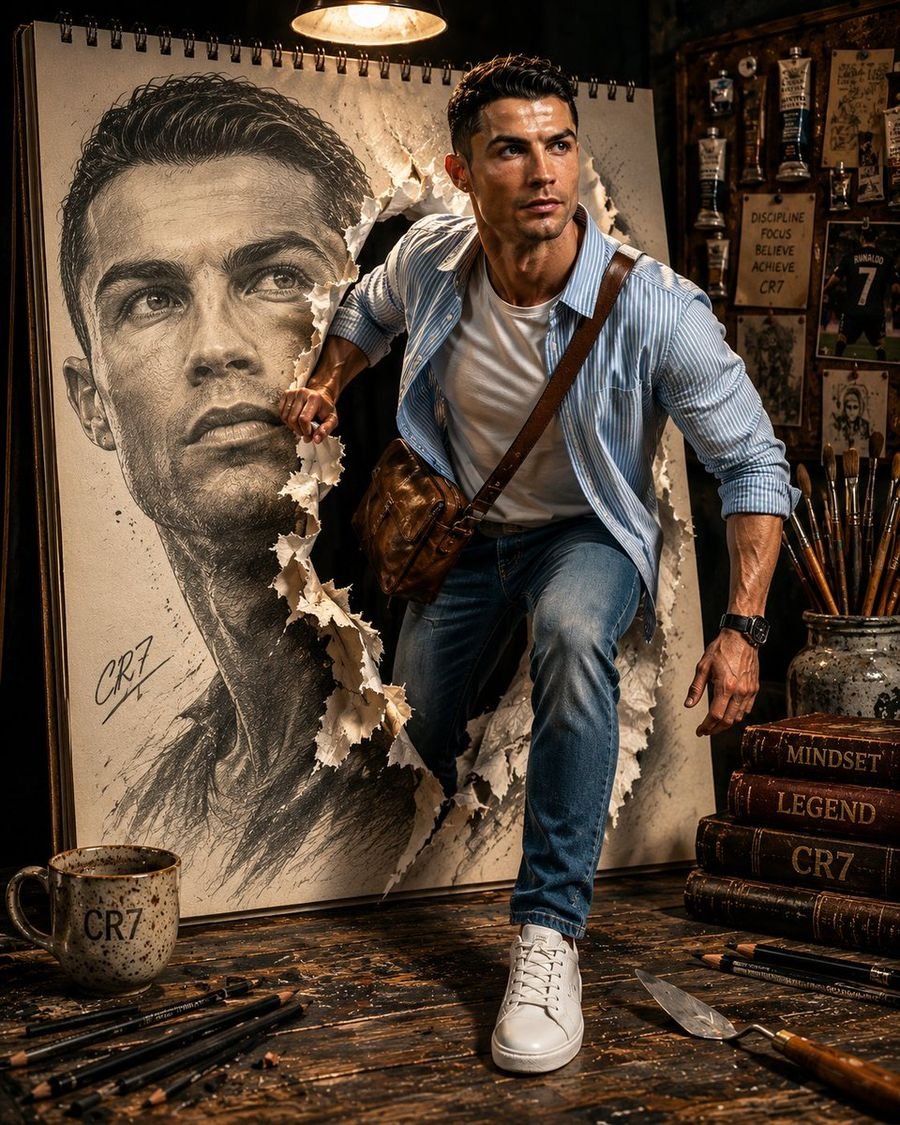
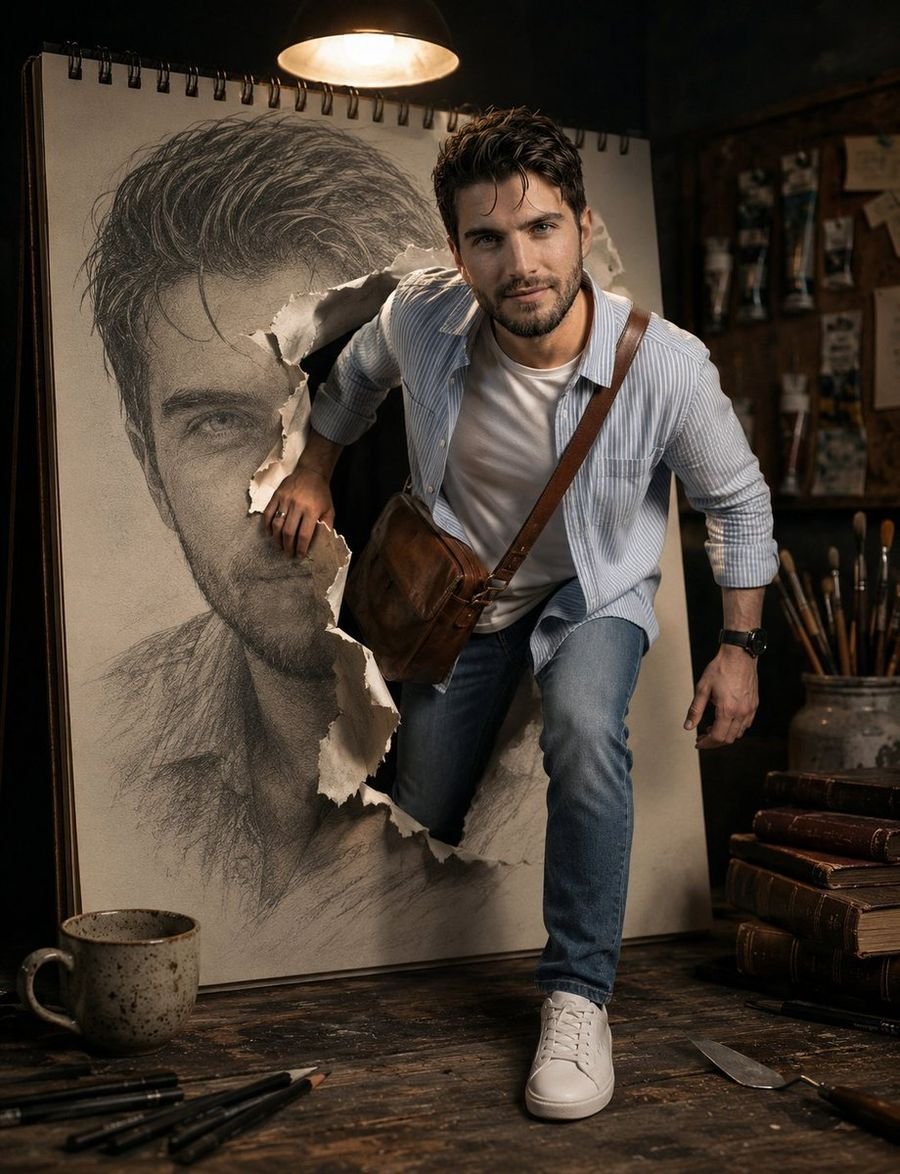
In the center of the frame, a massive, oversized spiral-bound sketchbook stands vertically upon a rustic, weathered dark-wood workbench. On the paper, a giant, realistic graphite pencil sketch of a man’s face is depicted. In a mind-bending moment, the thick paper of the sketchbook is violently torn open from the inside. A person is captured in mid-motion, stepping through the jagged, white-edged tear from the two-dimensional drawing into the three-dimensional world. The person’s right hand is firmly gripping the edge of the torn paper as they stride forward, with one foot planted on the wooden table and the other still emerging from the book. The lighting is cinematic and dramatic, provided by a single warm overhead industrial lamp that casts long shadows and creates a high-contrast, moody atmosphere. The person is dressed in a specific outfit: a light blue and white pinstriped button-down shirt worn open over a plain white crew-neck t-shirt. A textured, brown leather-style crossbody sling bag is worn across the chest. They are wearing classic medium-wash blue slim-fit jeans and clean, white leather sneakers. A black digital watch is visible on their left wrist. The surrounding environment is rich with detail: scattered across the scarred wooden workbench are thick charcoal pencils, a speckled ceramic mug, a stack of vintage leather-bound books, and a metal palette. In the soft-focus background, a corkboard is pinned with various tubes of oil paint, and a ceramic jar filled with assorted artist brushes sits nearby. The overall mood is one of creative intensity and a powerful transition from art to reality, captured with high-fidelity textures and a shallow depth of field. However, there is one critical instruction: for the subject person, you MUST use the exact face and likeness of the person in the provided image. Preserve their identity and facial features perfectly. Integrate this person seamlessly into the described scene.

GPT Image 2
0 0
Try Now
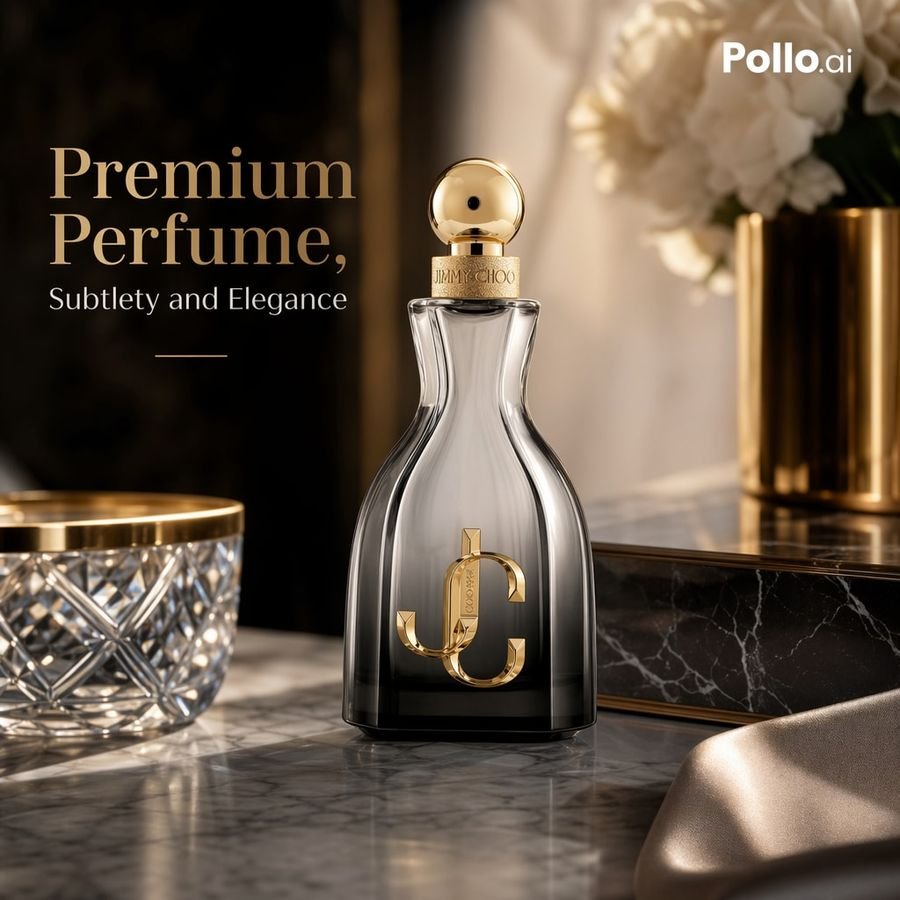
Luxury Perfume Ad on Marble Vanity
Image Generation

Luxury Perfume Ad on Marble Vanity

A luxury e-commerce advertising photo of a premium perfume bottle on a polished gray-and-white marble vanity, shot in a warm cinematic studio style with soft golden lighting, shallow depth of field, and elegant reflections. The composition is square and high-end, with the perfume bottle centered slightly right of frame and promotional text on the left. The bottle is a tall sculpted hourglass-shaped glass flacon with smoky transparent gray glass fading darker at the base, a glossy gold spherical cap, a gold collar engraved with fine branding, and a large metallic gold interlocking monogram on the front. Keep the branding-inspired feel but do not add extra products. In the foreground left, include 1 cut-crystal bowl with a gold rim, partially cropped. In the background right, include 1 brushed gold cylindrical vase holding 1 bouquet of soft white flowers, blurred. Behind the bottle, add 1 black marble rectangular box with subtle white veining and gold trim. In the lower right foreground, include 1 draped piece of champagne-colored satin fabric, softly out of focus. The background should be dark, luxurious, and softly blurred, with rich brown-black tones and a vertical shadowed panel on the left to support typography. Add elegant serif headline text on the upper left reading Premium Perfume, in large warm beige letters, with a smaller serif subheading beneath reading Subtlety and Elegance, plus a thin short gold horizontal line below the subheading. Place a small white logo in the top-right corner reading Pollo.ai. Emphasize premium materials, realistic glass refraction, gold metallic highlights, luxury product photography, refined composition, soft bokeh, and upscale beauty-ad aesthetics.

GPT Image 2
0 0
Try Now
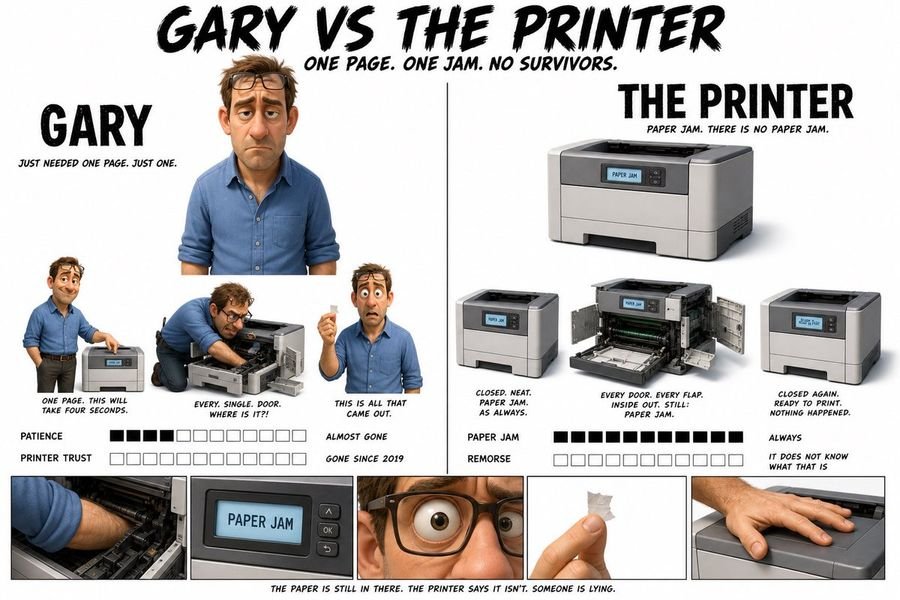
Pixar Style Character Design Sheet
Image Generation

Pixar Style Character Design Sheet

Create a Pixar 3D style character design sheet. Clean white background. Two characters side by side with a clean dividing line. Bold brushstroke-style title at the top: GARY VS THE PRINTER. Subtitle beneath: One page. One jam. No survivors.

GPT Image 2
0 0
Try Now
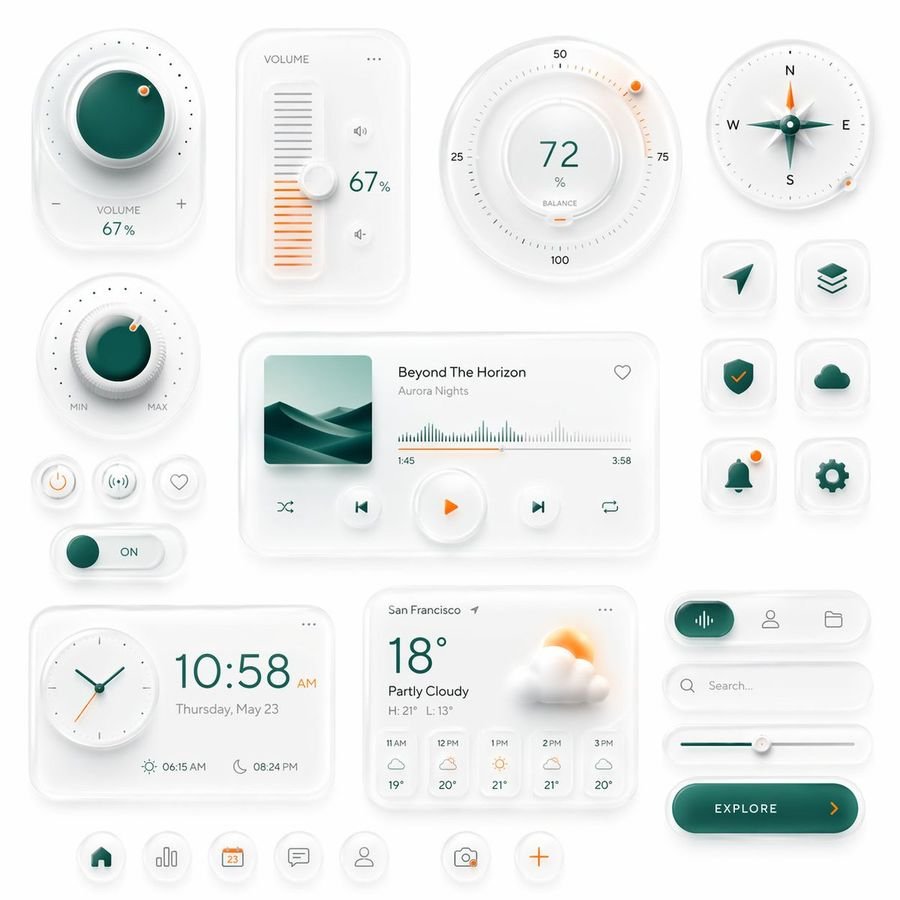
Neumorphic Smart UI Kit
Image Generation

Neumorphic Smart UI Kit

Create a premium neumorphic smart-home and media control UI kit on a clean light gray background, arranged as a balanced dashboard-style composition of floating rounded cards and circular controls with soft extruded shadows, subtle inner highlights, frosted white surfaces, and elegant teal-and-orange accents. The overall style is minimalist, futuristic, tactile, and highly polished, like a high-end mobile interface concept. Include exactly 18 discrete UI modules and icons: 1 large circular volume knob card in the upper left with a glossy deep teal center, dotted perimeter, plus and minus symbols, and the text “VOLUME 67%”; 1 vertical volume slider card with the label “VOLUME”, a white knob, orange level bars, small speaker icons, and “67%”; 1 large circular balance dial at the top center-right with numeric markings 25, 50, 75, 100, the central value “72%”, the label “BALANCE”, and a small orange indicator dot; 1 circular compass widget in the upper right with N, E, S, W labels, a metallic teal compass needle, and a small orange accent dot on the rim; 1 smaller circular min-max knob on the left middle with a teal center, textured white dial edge, orange indicator dot, and “MIN” and “MAX” labels; 3 small circular utility buttons beneath it in one row, showing a power symbol, a connectivity or wireless symbol, and a heart outline; 1 horizontal toggle switch below those buttons with a teal knob and the text “ON”; 1 large media player card in the center with a square album cover showing abstract layered teal dunes or waves, the track title “Beyond The Horizon”, the artist name “Aurora Nights”, a heart icon in the top right, a waveform progress display, timestamps “1:45” and “3:58”, and 4 playback controls along the bottom row: shuffle, previous, central orange play button, next, and repeat; 6 rounded-square app icons in two columns on the right side, arranged in 3 rows, showing exactly these symbols: paper plane arrow, stacked layers, shield with check mark, cloud, bell with a small orange notification dot, and gear; 1 rectangular clock card at the bottom left with a circular analog clock face, large digital time “10:58 AM”, the date line “Thursday, May 23”, and sunrise/sunset times “06:15 AM” and “08:24 PM”; 1 weather card at the bottom center with the location “San Francisco”, current temperature “18°”, condition “Partly Cloudy”, high/low “H: 21° L: 13°”, a large sun-behind-cloud illustration, and a 5-column hourly forecast labeled “11 AM”, “12 PM”, “1 PM”, “2 PM”, “3 PM”; 1 pill-shaped tab selector at the lower right with 3 tabs, where the left tab is active in teal with an audio waveform icon, and the other 2 tabs show a user icon and a folder icon; 1 search bar directly beneath it with a magnifying glass and placeholder text “Search...” ; 1 horizontal slider below the search bar with a teal progress line and a white knob; 1 large rounded CTA button at the bottom right reading “EXPLORE” with a right-facing orange arrow; and 5 circular bottom navigation icons centered along the bottom edge, showing home, bar chart, calendar with “23”, chat bubble, and user profile, plus 2 floating action buttons beside them: a camera icon and an orange plus sign. Use a restrained palette with white and very light gray surfaces, deep teal-green gradients for active states, and warm orange for highlights and notifications. Emphasize depth through soft ambient shadows, subtle bevels, glossy reflections, and realistic material rendering. Keep the layout spacious, symmetric but not rigid, and suitable for a luxury mobile app concept presentation.

GPT Image 2
0 0
Try Now
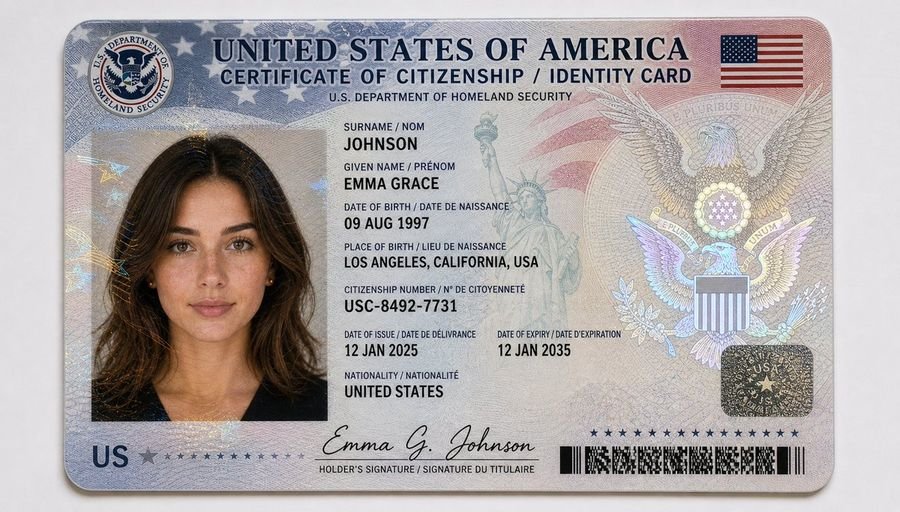
US Citizenship Identity Card Mockup
Image Generation

US Citizenship Identity Card Mockup

Ultra-realistic 16:9 close-up scan of a United States citizenship card placed on a clean light grey/white background. The card is horizontally aligned, centered in frame, captured with sharp focus and professional studio lighting. The design features an official government-style layout with clean typography and advanced security elements. Top section includes the header: “UNITED STATES OF AMERICA” and “CERTIFICATE OF CITIZENSHIP / IDENTITY CARD.” A subtle American flag motif appears in the background with red and blue gradient overlays. The card includes a passport-style portrait of a young adult woman: shoulder-length soft wavy dark brown hair, warm neutral skin tone, light natural freckles, hazel eyes, minimal makeup, neutral expression, direct gaze, wearing a simple black top and small gold stud earrings. Personal details displayed clearly: – Surname: JOHNSON – Given Name: EMMA GRACE – Date of Birth: 09 AUG 1997 – Place of Birth: LOS ANGELES, CALIFORNIA, USA – Citizenship Number: USC-8492-7731 – Date of Issue: 12 JAN 2025 – Date of Expiry: 12 JAN 2035 – Nationality: UNITED STATES Security and design features include: – Fine guilloche patterns across the entire surface – Microprinted text and line engravings – A semi-transparent holographic bald eagle emblem on the right side – Embedded hologram seal with stars and shield motif – Subtle Statue of Liberty illustration blended into the background – Signature at the bottom: “Emma G. Johnson” Additional elements: – Department of Homeland Security emblem in the top corner – Barcode or ID strip along the bottom edge – Red, white, and blue gradient accents Lighting is soft and evenly diffused, highlighting laminated plastic texture, subtle reflections, and holographic security overlays. No hand visible. Clean, minimal, professional composition. Ultra-detailed, photorealistic, 8K quality.

GPT Image 2
0 0
Try Now
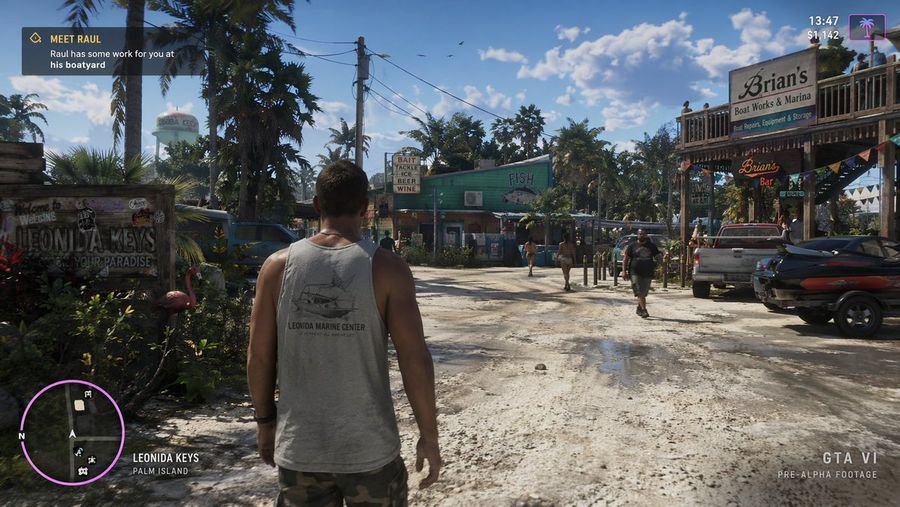
Open World Environment Shot
Image Generation

Open World Environment Shot

a screenshot from gta 6 with Jason walking in leonida keys

GPT Image 2
0 0
Try Now
Merl iOS Personalization Screenshot
Image Generation

Merl iOS Personalization Screenshot

{"type":"app store promotional screenshot","platform":"iOS","style":"clean premium branding, soft 3D mascot illustration, warm minimalist product marketing","brand":{"name":"Merl","primary colors":["warm cream","golden yellow","black","soft orange","lavender accent"]},"canvas":{"aspect_ratio":"9:16 vertical","background":"light beige upper field with a large curved golden-yellow wave rising from the bottom"},"layout":{"sections":[{"title":"hero headline","position":"top-left","count":2,"labels":["Personalize your","Merl experience"]},{"title":"supporting copy","position":"upper-left below headline","count":4,"labels":["Customize agents,","memory, and how","Merl shapes prompts","for your best outputs."]},{"title":"phone mockup","position":"center-right","count":1,"labels":["iPhone displaying the app customization screen"]},{"title":"mascot","position":"bottom-left of phone","count":1,"labels":["small white mascot wearing wizard hat and cape, one arm pointing toward the phone"]},{"title":"brand signature","position":"bottom-center","count":2,"labels":["mascot face icon","Merl"]}]},"device":{"model":"modern iPhone Pro style with dynamic island","angle":"slight rightward perspective tilt","finish":"glossy black metal frame","screen":{"header":{"time":"9:41","center title":"Your Merl","right action":"Done"},"content_sections":[{"title":"BESTIE","count":1,"labels":["bestie"]},{"title":"YEAR","count":4,"labels":["Student","Working pro","Creator","Just curious"]},{"title":"AGE","count":5,"labels":["Under 18","18–24","25–34","35–49","50+"]},{"title":"INTERESTS","count":5,"labels":["Resumes & cover letters","Photos","Image gen","Video","Writing"]},{"title":"HOW MERL WORKS FOR YOU","count":5,"labels":["Memory","Prompt style","Adapt to you","Default model","Response length"]},{"title":"bottom navigation","count":3,"labels":["home icon","center pill button: 288 Merls","profile icon"]}],"selected states":["Just curious","18–24","Resumes & cover letters","Photos","Image gen","Writing"],"toggles":{"count":2,"labels":["Memory on","Adapt to you on"]},"descriptive_rows":["Memory — Merl remembers your preferences and past chats","Prompt style — Friendly, clear, and concise","Adapt to you — Merl adapts prompts and workflows based on your activity","Default model — Merl chooses the best model for every task","Response length — Balanced"]}},"mascot":{"design":"rounded chibi-like white character with dot eyes, small smile, peach blush cheeks","outfit_count":3,"outfit_pieces":["brown wizard hat","golden cape","round neck clasp or bow"],"pose":"standing beside the phone, slightly waving or presenting it"},"typography":{"headline":"large elegant high-contrast serif in black","body":"small clean sans-serif in muted dark gray","logo":"serif wordmark matching the headline"},"lighting":"soft studio lighting with gentle shadows, polished app-advertisement finish","quality":"high-resolution, highly legible UI, consistent brand identity, premium iOS App Store screenshot aesthetic"}
GPT Image 2
0 0
Try Now
Google Maps Inspired Digital Collage Poster
Image Generation

Google Maps Inspired Digital Collage Poster

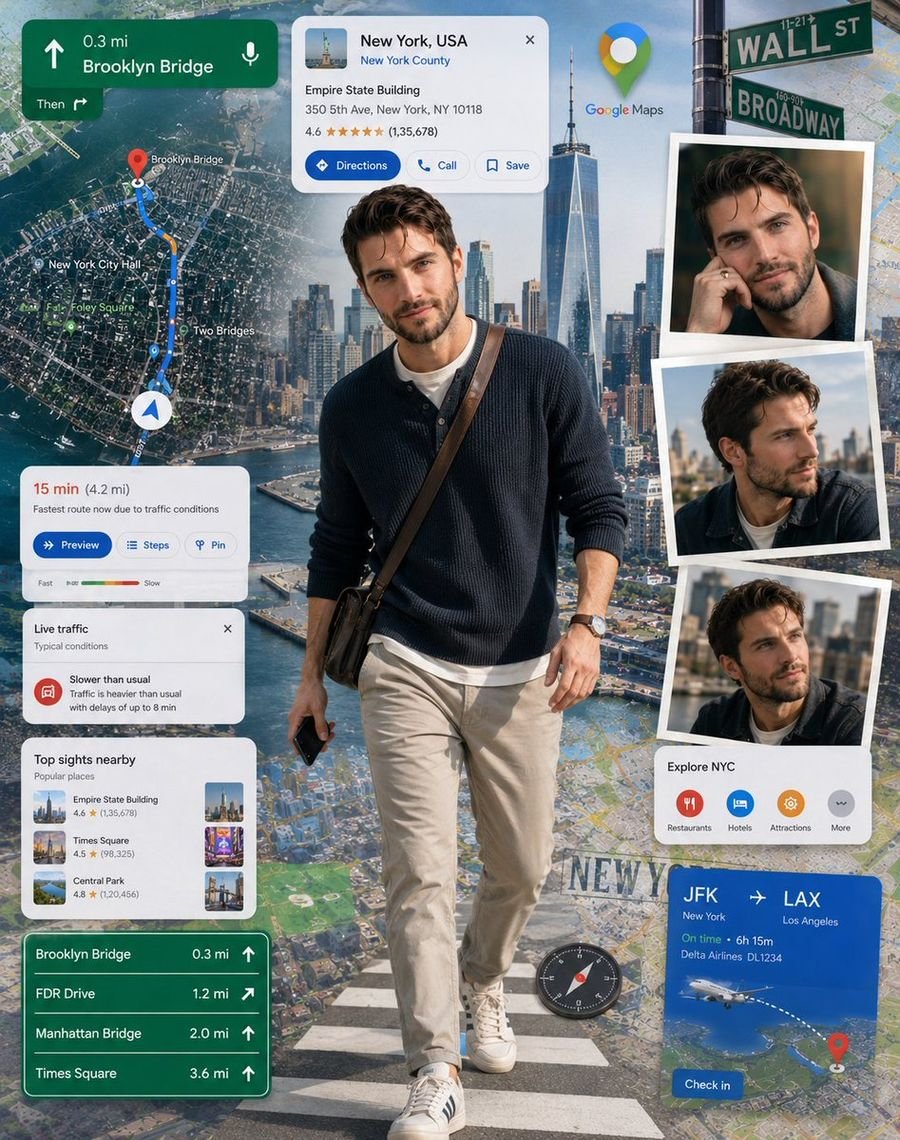
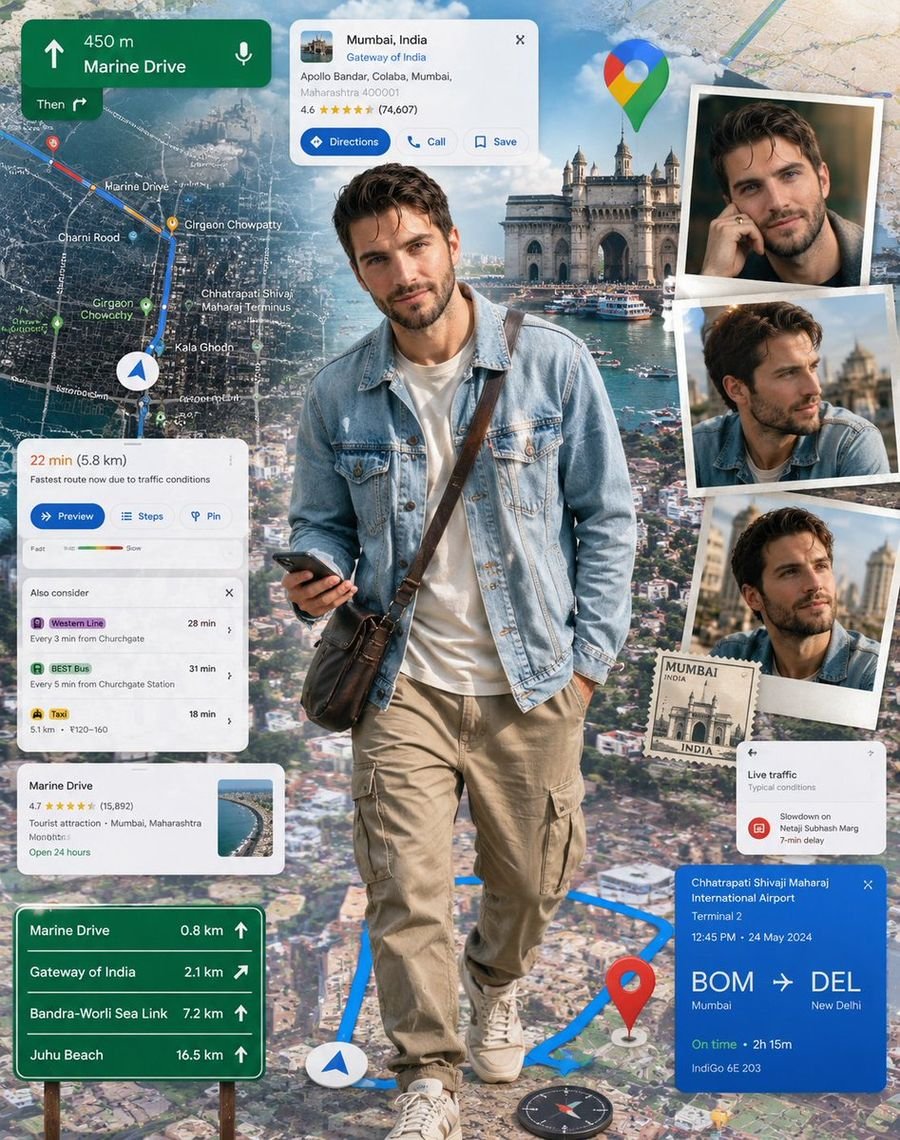
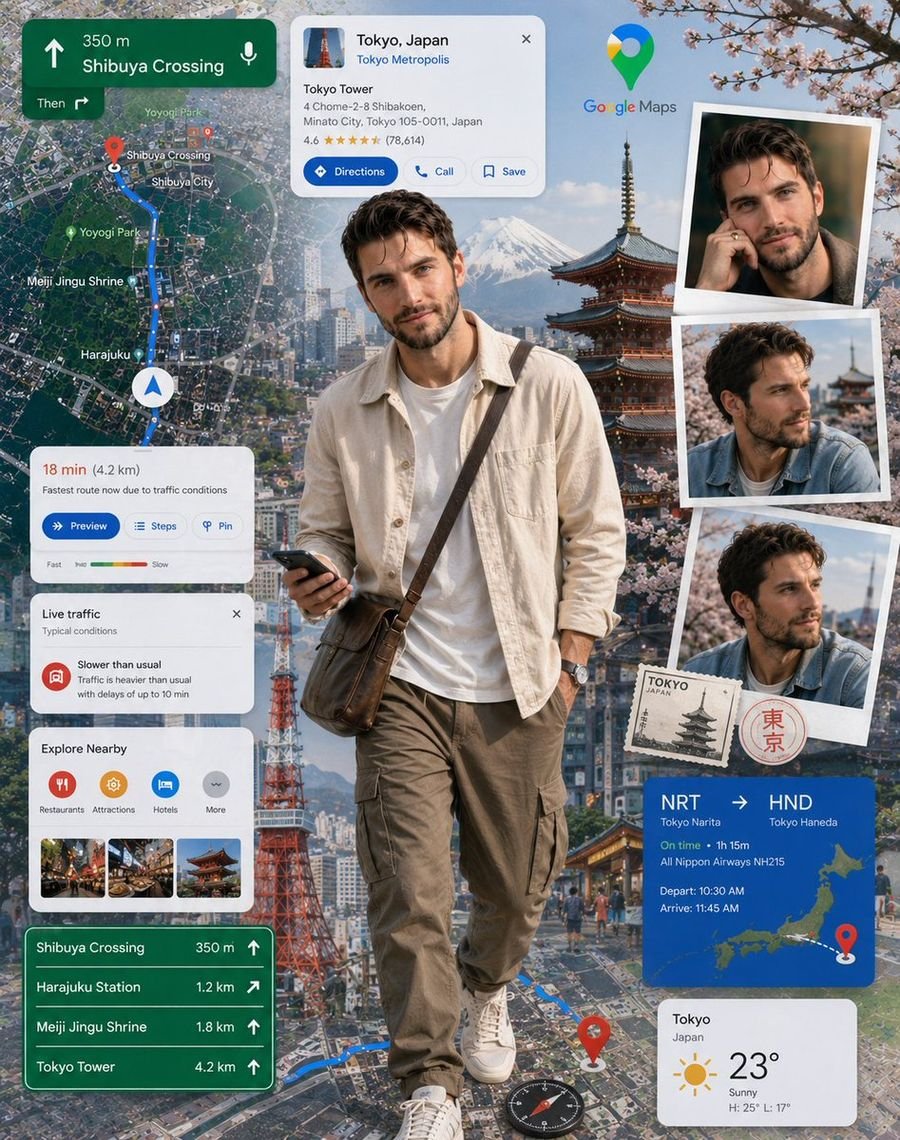
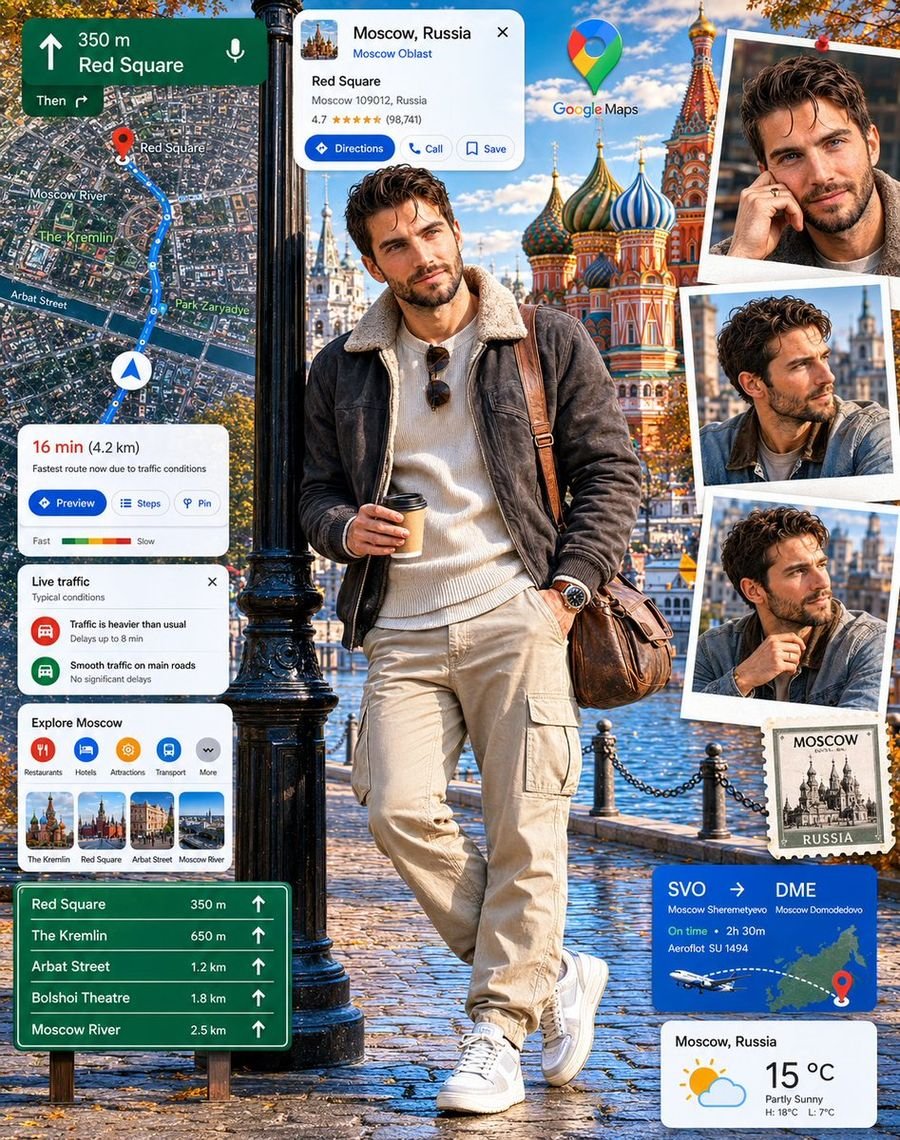
An ultra-detailed digital collage poster featuring a person based on the upload reference photo as the main focal point, realistically stepping out from an expansive Google Maps-inspired navigation environment. The background contains detailed city maps, route paths, location pins, navigation arrows, destination cards, traffic indicators, satellite views, and travel information panels layered across the composition. Additional portrait snapshots display matching views of the subject without altering the facial structure of the upload reference photo. The subject wears a modern light blue denim jacket over a cream t-shirt, relaxed cargo pants, and fashionable lifestyle sneakers with a compact crossbody travel bag. Bright daylight illumination, realistic map textures, dimensional interface layers, travel-inspired storytelling, highly detailed digital elements, premium collage composition, immersive navigation theme, realistic perspective, commercial-quality poster artwork, 8K resolution. Japan please and change the clothes

GPT Image 2
0 0
Try Now
Dance Choreography Instruction Sheet Prompt
Image Generation

Dance Choreography Instruction Sheet Prompt

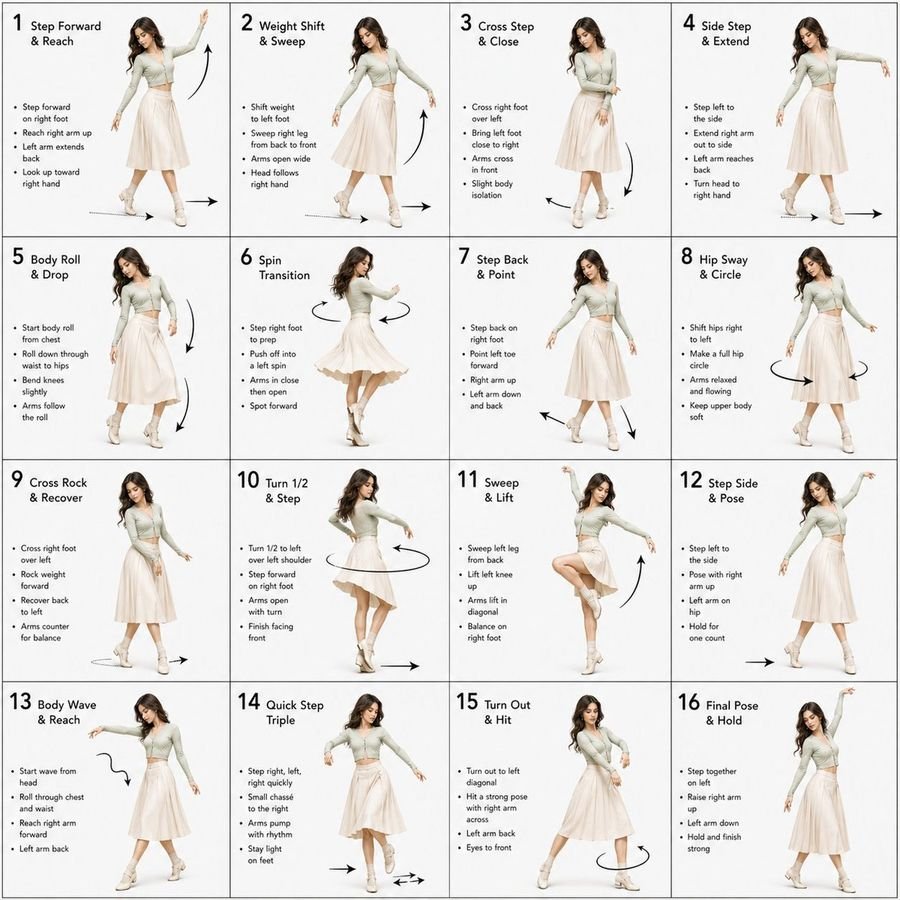
Dance Sequence Instruction Sheet [VISUAL STYLE] A composition featuring a highly detailed 3D-rendered female dancer. Designed like a professional choreography guide with a technical, diagram-inspired layout. Clean white background, soft studio lighting, and strong contrast to highlight body movement and posture. [GRID LAYOUT] Structured 4×4 panel grid (16 frames total), evenly spaced with thin black divider lines. Each panel is identical in size and clearly numbered from 1 to 16 to show a continuous dance progression. [CHARACTER] Use image1 as the base character. The same female dancer appears consistently across all panels with accurate likeness and proportions. [WARDROBE] The dancer wears a stylish, performance-ready outfit: a well-fitted top paired with a short, flowy skirt. The look should feel modern and visually appealing while still practical for dance movement. Fabric should subtly respond to motion (slight flow and folds), even in grayscale. [PANEL STRUCTURE – EACH FRAME] Top-left: Step number + short dance move title (e.g., “Step 5 – Spin Transition”) Center: Full-body pose capturing a precise moment in the choreography Bottom-left: 3–4 lines of concise instruction describing the move Overlay: Motion arrows and directional guides illustrating how the dancer transitions [MOTION INDICATORS] Incorporate curved arrows for fluid motion, straight arrows for directional steps, and circular indicators for spins or turns. Emphasize rhythm, weight shifts, and body isolation. [RENDER QUALITY] High-detail sculpted 3D style with smooth grayscale shading, subtle shadows, and clean linework. Maintain a polished, concept-art level finish with clarity in every pose. [RESTRICTIONS] No color, no background scenery, no extra characters, no visual clutter, only the dancer and instructional elements.

GPT Image 2
0 0
Try Now
Crayon Style Image Transformation
Image Generation

Crayon Style Image Transformation

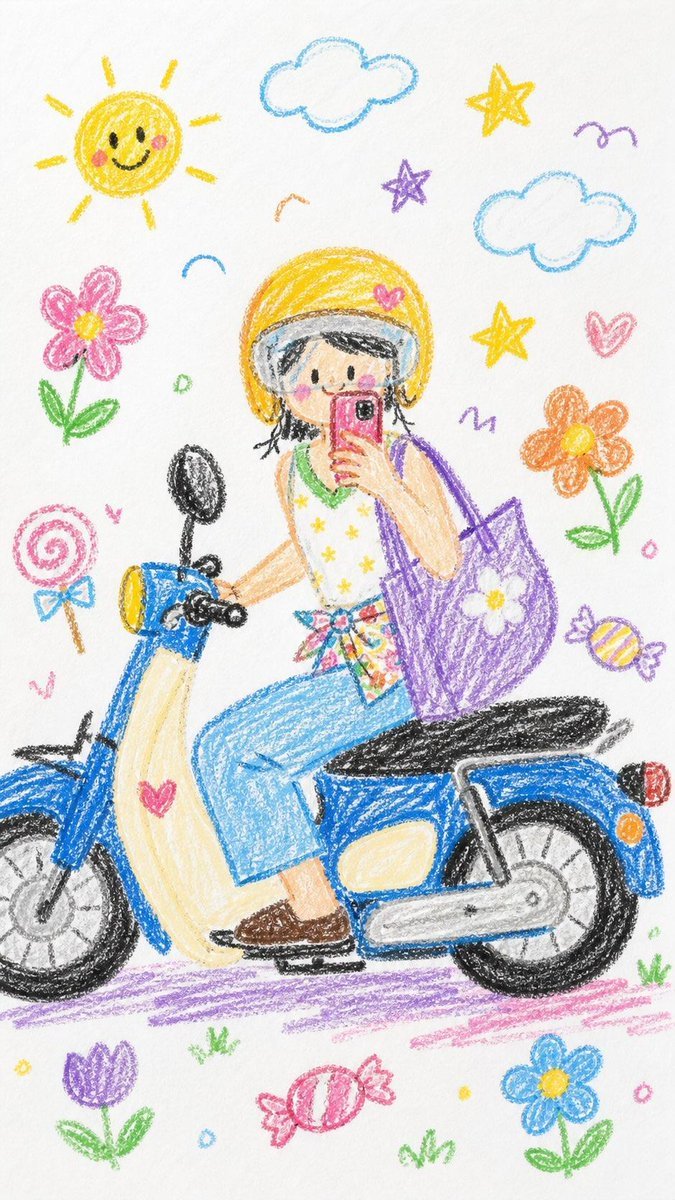
Please turn the whole image into a crayon-style drawing. Simplify the details so it looks like something a 10-year-old would draw. Don’t use the original colors from the photo. Make it look like it’s drawn on white paper, with a very cute and playful feel. You can add adorable elements like flowers, candy, stars, clouds, etc., to make it look more childlike and innocent.

GPT Image 2
0 0
Try Now
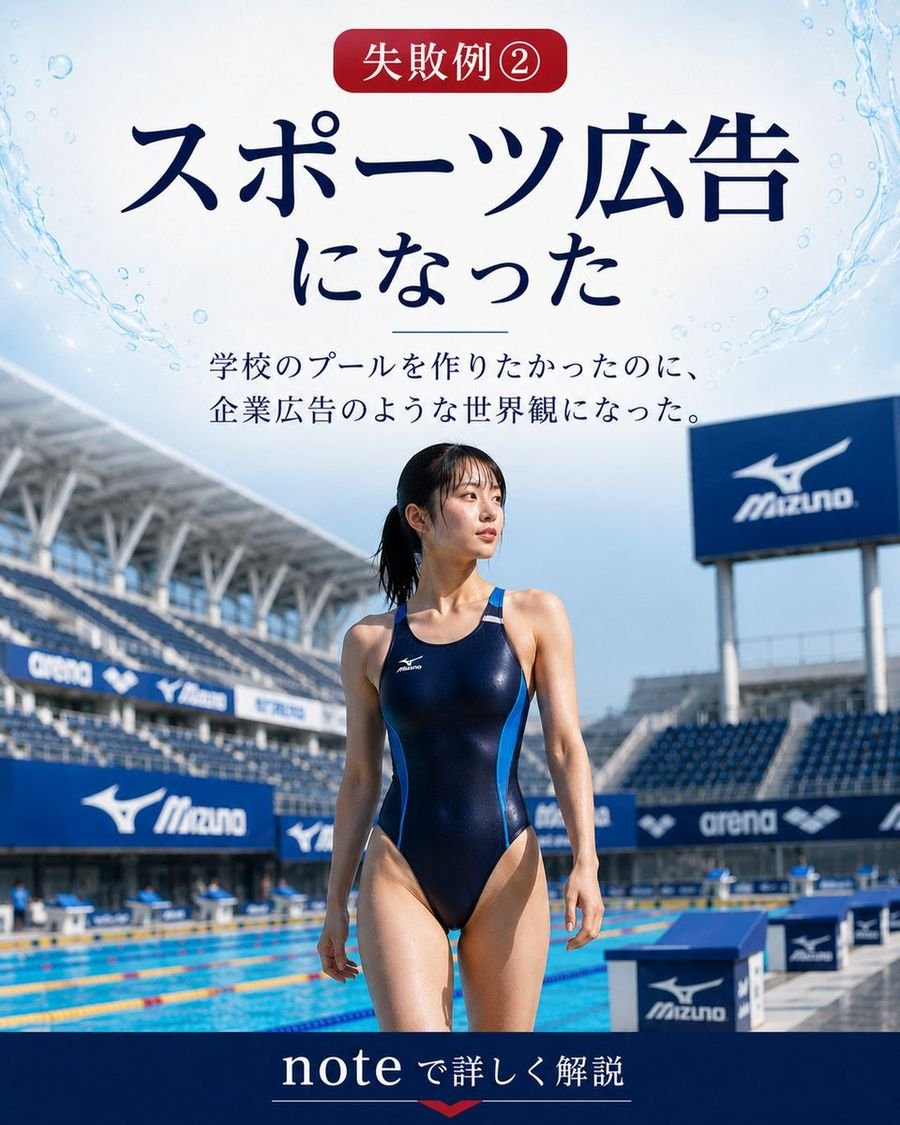
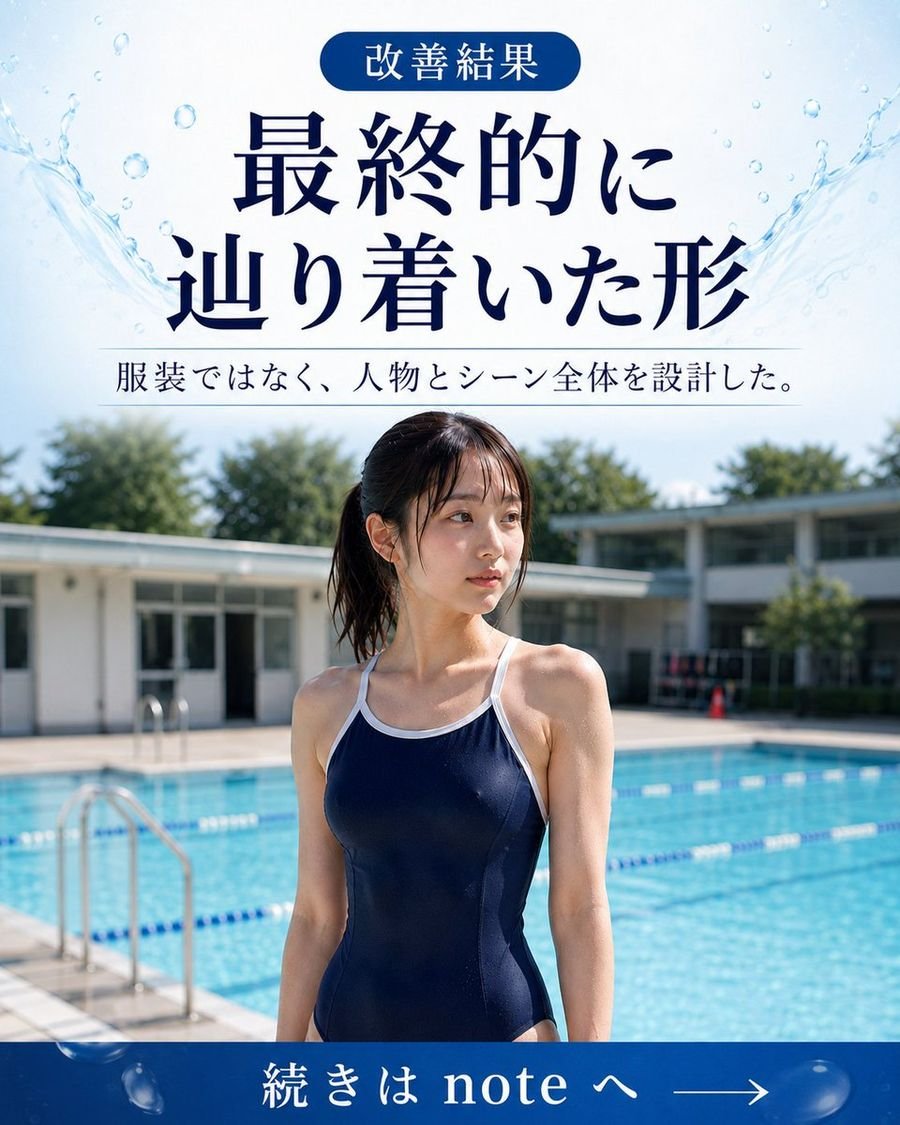
Japanese GPT Image 2 Swimsuit Report Poster
Image Generation

Japanese GPT Image 2 Swimsuit Report Poster

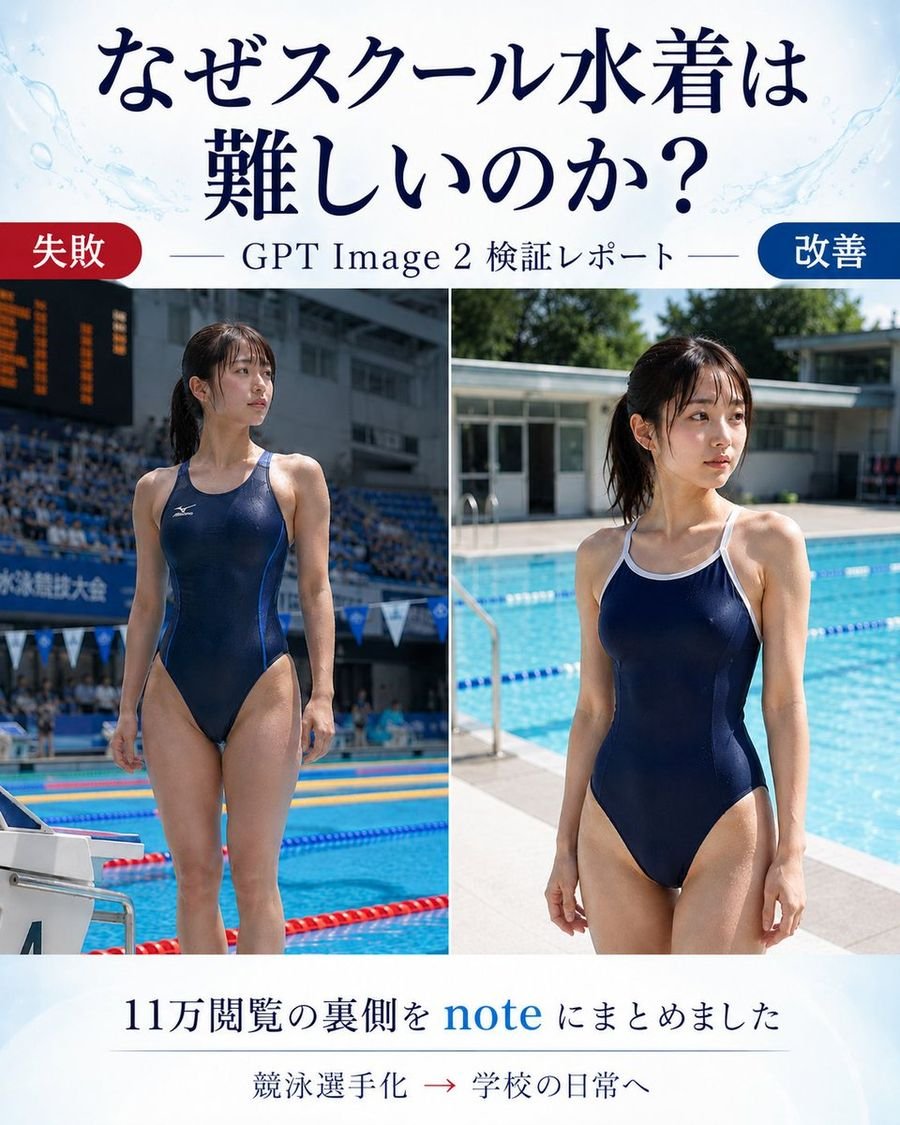
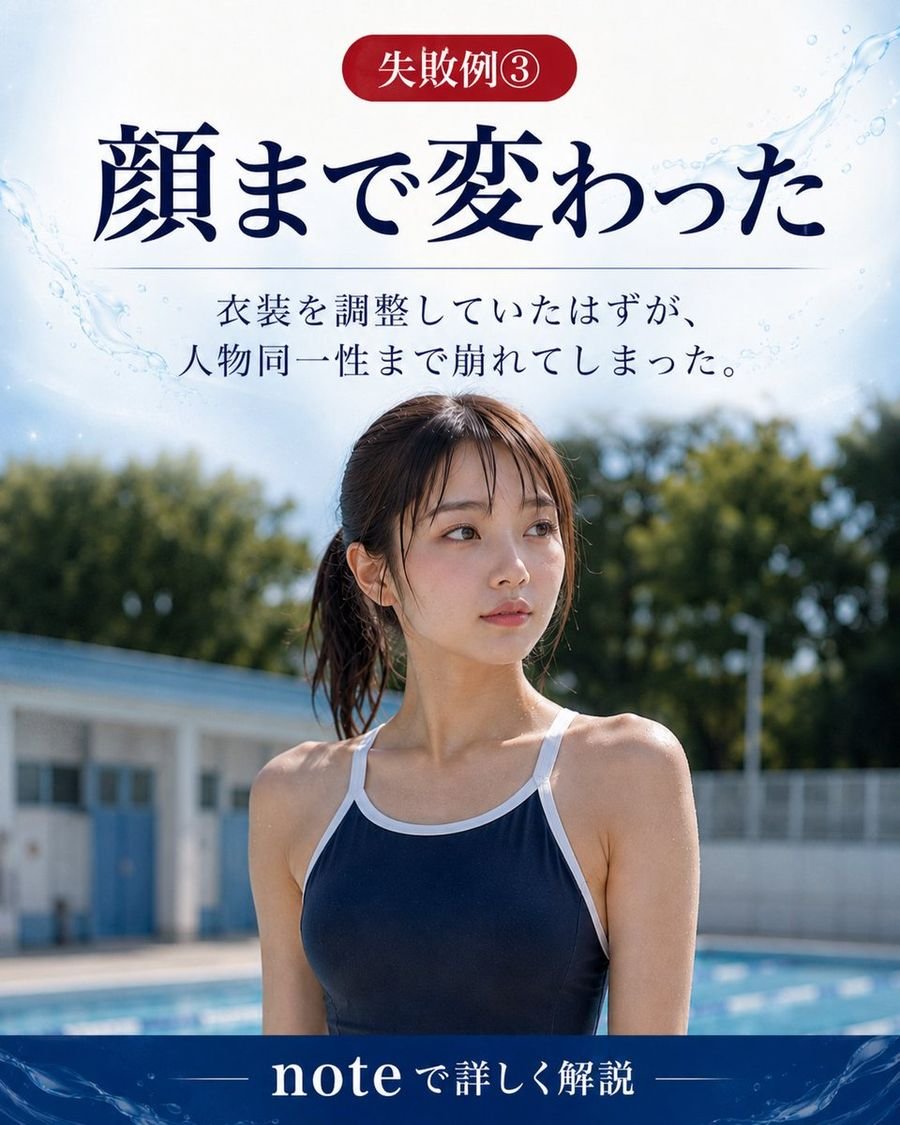
Goal: Create a vertical Japanese promotional comparison poster for an article about why generating a school swimsuit is difficult in GPT Image 2, showing a before/after visual test report. Canvas: Portrait 4:5 layout, clean editorial blog-thumbnail design, white background with pale blue watercolor splashes and subtle pool-water motifs near the top corners. Use elegant dark navy Japanese serif typography. Header: Large centered headline text in Japanese: 「なぜスクール水着は 難しいのか?」 with the line break after 「は」. Below it, add a thin horizontal rule on both sides of the subtitle 「GPT Image 2 検証レポート」. Main layout: Two large side-by-side photo panels separated by a thin white vertical divider. Use exactly 2 comparison images: left panel labeled as failure, right panel labeled as improvement. At the top-left of the image area, place a rounded red pill label reading 「失敗」. At the top-right, place a rounded blue pill label reading 「改善」. Left photo panel: A realistic full-body poolside photo of an adult woman in a navy one-piece competitive racing swimsuit, standing at an indoor or stadium-like competition pool. Make it look like a sports meet or swimming competition: spectator stands, scoreboard, lane ropes, starting block, and official competition atmosphere. Her face should be intentionally obscured with a rectangular blur/mosaic block. The pose is upright and athletic, emphasizing that the generation became too much like a competitive swimmer. Right photo panel: A realistic full-body poolside photo of an adult woman in a navy one-piece school-style swimsuit with white trim and shoulder straps, standing beside a bright outdoor school pool in daylight. Background includes blue pool water, lane ropes, pool deck, low school-building architecture, and greenery. Her face should also be intentionally obscured with a rectangular blur/mosaic block. The mood is casual school daily life rather than sports advertising. Footer: Centered Japanese text in dark navy: 「11万閲覧の裏側を note にまとめました」 with the word “note” in bright blue. Under it, add a small line of text: 「競泳選手化 → 学校の日常へ」 with the arrow in red. Use a faint divider line above the small text. Visual style: Realistic photography in the two panels, magazine/article cover composition, high contrast between the failed sports-ad look and the improved school-pool daily-life look. Keep the design polished and readable, with no extra logos or watermarks. Customizable slots: Article headline may be なぜスクール水着は難しいのか?; subtitle may be GPT Image 2 検証レポート; left label may be 失敗; right label may be 改善; footer text may be 11万閲覧の裏側を note にまとめました.

GPT Image 2
0 0
Try Now
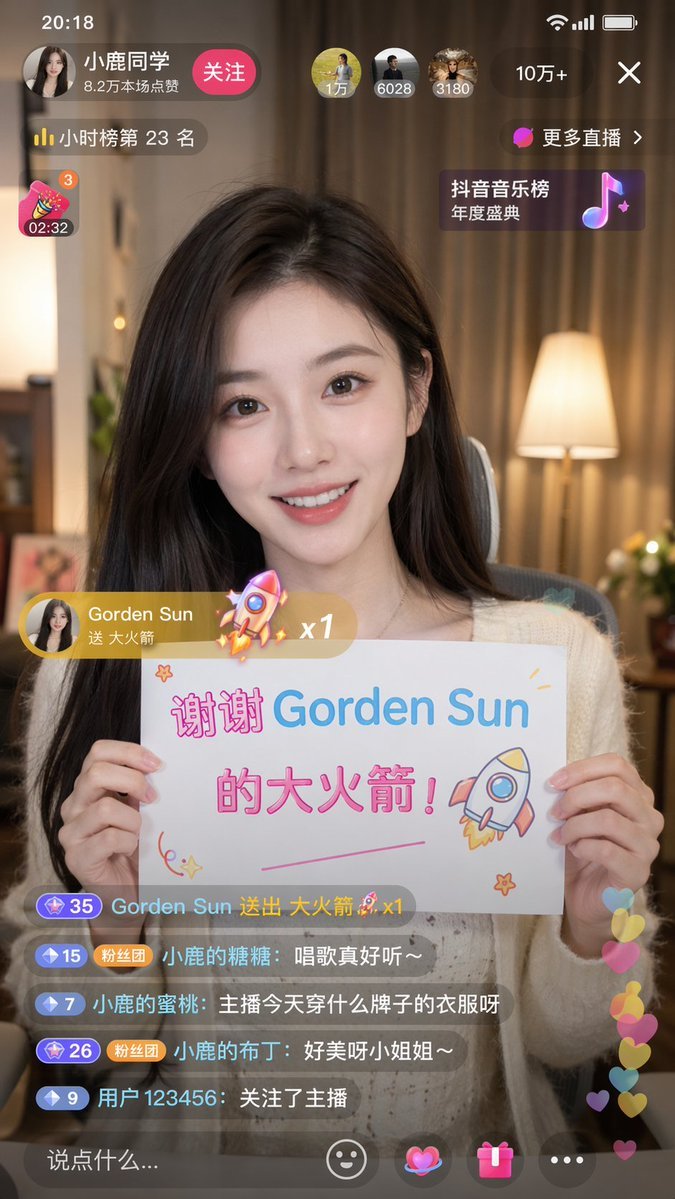
Douyin Live Stream Screenshot
Image Generation

Douyin Live Stream Screenshot

A 9:16 aspect ratio image generating a Douyin live stream screenshot. Inside is a beautiful girl streaming, holding a sign that says: "Thank you Gorden Sun for the Big Rocket!"

GPT Image 2
0 0
Try Now
Menu
Home AI Tools Prompts Repos Contact Us About Us Privacy Policy Terms and Conditions
Submit Tool

Get the Daily Digest

AI trends, tools, and stories every morning. Free forever.